Shooting a business video is an exciting endeavor, but it can also be a logistical challenge. As a photographer and video director with years of experience at St Louis Video, I’ve learned that effective time management is crucial for a successful shoot. In this guide, I’ll share essential tips to help you streamline your shooting day and maximize productivity.
Having contingency plans in place allows you to navigate unforeseen circumstances without derailing the entire production.
Pre-Production Preparation
1. Plan Thoroughly: Before the shooting day arrives, spend ample time planning every aspect of the shoot. This includes scripting, storyboarding, location scouting, and assembling necessary equipment. A well-thought-out plan lays the foundation for a smooth production process.
2. Create a Detailed Schedule: Develop a comprehensive shooting schedule that outlines each segment of the video production process. Allocate specific time slots for setup, filming, breaks, and teardown. Having a structured timeline keeps everyone on track and minimizes downtime.
3. Communicate Effectively: Clear communication is key to efficient time management. Make sure everyone involved in the production understands their roles and responsibilities. Establishing open lines of communication ensures that any issues or concerns can be addressed promptly.
On Set Efficiency
4. Set Up Efficiently: Arrive at the shooting location early to set up equipment and prepare the scene. Organize gear in a systematic manner to minimize setup time. Utilize checklists to ensure that nothing is overlooked during the setup process.
5. Maximize Natural Light: If possible, leverage natural light sources to enhance the visual quality of your video. Position the subject near windows or outdoor spaces to take advantage of natural lighting conditions. This not only saves time on artificial lighting setup but also creates a more authentic aesthetic.
6. Limit Takes: While it’s essential to capture the perfect shot, excessive takes can eat up valuable time. Encourage performers and presenters to rehearse beforehand to minimize the need for multiple retakes. Strive for efficiency without compromising on quality.
7. Be Flexible: Despite meticulous planning, unexpected challenges may arise during the shoot. Stay adaptable and be prepared to make adjustments on the fly. Having contingency plans in place allows you to navigate unforeseen circumstances without derailing the entire production.
Post-Production Optimization
8. Organize Footage Immediately: After wrapping up the shoot, organize footage and media files promptly. Establish a structured file naming system to facilitate easy access and retrieval during the editing process. Proper organization streamlines post-production workflows and saves time searching for specific assets.
9. Prioritize Editing Tasks: Identify critical editing tasks and prioritize them based on their impact on the final product. Focus on assembling the core narrative elements first before fine-tuning details such as color grading and sound mixing. Efficient editing practices help expedite the post-production process without sacrificing quality.
10. Seek Feedback: Collaborate with clients or stakeholders to gather feedback throughout the editing process. Incorporate revisions and adjustments promptly to ensure the final product meets their expectations. Clear communication and iterative feedback loops are essential for delivering a polished end result within the designated timeframe.
Conclusion
Effective time management is essential for optimizing productivity and ensuring a successful business video shoot. By implementing the tips outlined in this guide, you can streamline your production process, minimize downtime, and deliver high-quality results that resonate with your audience.
As a full-service video and photography production company, St Louis Video has worked with many businesses, marketing firms, and agencies in the St. Louis area for their corporate photography and video. Our experienced team, state-of-the-art equipment, and creative approach ensure that your conference documentation receives the attention it deserves. Whether you require studio or location shoots, editing, or post-production services, we have the expertise to bring your vision to life. Contact us today to discuss how we can tailor our services to meet your specific needs.
Call to Action: Contact St Louis Video today to learn more about our comprehensive photography and video production services tailored for businesses like yours.
In the world of visual storytelling, videography is a powerful medium that has the ability to evoke deep emotions and create dramatic narratives. Whether you’re a filmmaker, content creator, or simply someone interested in the art of videography, understanding how to elevate emotion and drama in your videos is crucial. In this blog post, we’ll explore the techniques, strategies, and creative elements that can help you master the art of conveying emotion and drama through videography.
Balance dialogue, background sounds, and music to create an emotional journey for the viewer.
The Power of Emotion
Emotion is at the heart of all compelling stories. It’s what connects viewers to the narrative and makes them care about the characters and events unfolding on screen. As a videographer, your goal is to tap into these emotions and bring them to the forefront of your videos.
Storytelling as the Foundation
The foundation of any emotionally charged video is a well-crafted story. Your script or concept should be designed to elicit specific emotions from your audience. Whether it’s joy, sadness, excitement, or fear, a compelling story sets the stage for emotional engagement.
Authenticity in Performance
To convey authentic emotion, work closely with your actors or subjects. Encourage them to connect with the characters they portray and genuinely feel the emotions required for the scene. Authentic performances resonate more deeply with viewers.
The Art of Drama
Drama doesn’t mean melodrama or exaggerated performances. It’s about creating tension, conflict, and a sense of anticipation. Drama keeps your audience engaged and invested in the story.
Conflict and Resolution
Every great story has conflict. It could be a simple disagreement between characters or a more complex external challenge. The key is to resolve this conflict in a way that satisfies the audience emotionally. Closure is important.
Visual Composition
Drama can be heightened through visual composition. Experiment with framing, camera angles, and lighting to create visual tension. For example, a close-up shot of a character’s face during a pivotal moment can intensify the drama.
Preparing for the Shoot
Before you even start filming, there are several steps you can take to ensure your videography will effectively convey emotion and drama.
Location Selection
The choice of location can greatly impact the mood and emotion of your video. A serene, natural setting might evoke different emotions than an urban, gritty backdrop. Choose locations that align with the emotional tone you want to convey.
Casting and Talent
The right actors or subjects can make or break the emotional impact of your video. Ensure that your cast fits the roles and can deliver the performances required. Chemistry between actors can enhance the drama.
Script and Shot List
A well-structured script and a detailed shot list are essential tools for capturing emotion and drama effectively. Plan your shots meticulously to ensure they align with the emotional beats of your story.
The Role of Equipment and Technology
Videography is as much about technical expertise as it is about creativity. Here are some technical considerations that can enhance the emotional impact of your videos.
Cameras and Lenses
Different cameras and lenses can create distinct visual styles. Consider how the choice of equipment can complement the emotional tone of your story. For example, a shallow depth of field can isolate a character and emphasize their emotions.
Lighting
Lighting is a critical aspect of videography. It can set the mood, create shadows, and highlight specific elements within the frame. Experiment with different lighting techniques to evoke the desired emotions.
Sound Design
Sound design plays a pivotal role in conveying emotion. The right music, ambient sounds, and dialogue delivery can enhance the emotional resonance of your video. Pay attention to the soundtrack and sound effects during editing.
Filming Techniques
The way you film a scene can significantly impact its emotional impact.
Framing and Composition
Experiment with framing techniques to evoke specific emotions. A tight close-up can reveal intense emotions on a character’s face, while a wide shot might emphasize isolation or vulnerability.
Movement and Camera Angles
Dynamic camera movement and angles can add drama to your video. Consider techniques like tracking shots to follow intense action or low angles to create a sense of power or dominance.
Slow Motion and Time Manipulation
Time manipulation can intensify emotion. Slow-motion shots can draw attention to key moments, allowing viewers to savor the emotional content. Time-lapses, on the other hand, can convey the passage of time and build anticipation.
Post-Production Magic
Editing is where all the elements of emotion and drama come together.
Editing
The editing process allows you to fine-tune the emotional impact of your video. Cut scenes with precision to control pacing, and use transitions to create smooth emotional transitions.
Color Grading
Color grading can set the overall tone and mood of your video. Experiment with color correction and grading to create the desired emotional atmosphere.
Sound Editing and Music
Pay meticulous attention to sound editing. Balance dialogue, background sounds, and music to create a harmonious auditory experience that enhances the emotional journey of the viewer.
Repurposing Your Content
As a videographer, you can also repurpose your content to gain more traction and engagement.
Leveraging Video for Photography
One of the strengths of videography is its ability to capture a sequence of moments. Consider using still frames from your video as high-quality photographs. This can be particularly effective for marketing and storytelling.
File Types and Software
Understanding file types and software is essential for effective repurposing. Ensure that you’re using the right file formats and editing software to maintain the quality of your content during the transition from video to photography.
St. Louis Video: Your Partner in Videography
At St. Louis Video, we understand the art of elevating emotion and drama in videography. Our experienced team is equipped with state-of-the-art technology and creative vision to help you tell your story effectively. We offer full-service studio and location video and photography services, along with expert editing and post-production capabilities.
Studio and Location Services
Choose from our range of studio and location services to meet your diverse media requirements. Whether you need a controlled studio environment or a unique outdoor setting, we have you covered.
Editing and Post-Production
Our talented team excels in editing and post-production, ensuring that your visuals are polished and ready to captivate your audience.
Repurposing for More Traction
Leverage our expertise in repurposing your videography for enhanced marketing and storytelling. We understand the importance of versatile content that can engage audiences across various platforms.
Versatile with All Media Types
We are well-versed in handling all file types and styles of media, along with accompanying software. Our technical proficiency ensures that your content maintains its quality throughout the production process.
Conclusion and Call to Action
Elevating emotion and drama in videography is an art that requires a combination of storytelling, technical expertise, and creative vision. As you embark on your journey to create emotionally resonant videos, remember that St. Louis Video is here to support you every step of the way.
Contact us today to discuss your videography and photography needs, and experience the difference that expertise and creativity can make in your visual storytelling. Let us help you bring your stories to life with emotion and drama that leaves a lasting impact on your audience.
The term “run and gun” might conjure images of chaotic, unplanned shooting, but in the hands of an experienced video producer, it becomes a strategic approach for delivering impactful corporate videos. At St. Louis Video, we understand the challenges and opportunities of run and gun videography, and we’re here to guide you through the process. As a full-service video production company with a wealth of equipment and creative crew service experience, we can help you create compelling productions that meet your diverse creative needs.
B-roll footage is the unsung hero of corporate videos. It provides context, visual interest, and helps cover edits.
The Essence of Run and Gun Videography
Run and gun videography refers to a style of shooting that’s characterized by its speed, flexibility, and minimalistic approach to gear. It’s the art of capturing engaging content on the fly, often in unpredictable settings, without sacrificing quality. This approach is particularly valuable for corporate videos, where efficiency and adaptability are paramount.
Here are some key aspects of run and gun videography that we’ll explore in this article:
Equipment Essentials: What gear do you need to succeed as a run and gun videographer?
Planning and Preparation: How to organize your shoot for maximum efficiency.
Lighting and Sound: Tips for achieving professional results on the go.
Interviews and Talking Heads: Strategies for capturing compelling interviews and testimonials.
B-Roll and Cutaways: The importance of supplementary footage in post-production.
Teleprompters for Efficiency: Enhancing message delivery in corporate videos.
Repurposing Your Content: Maximizing the value of your corporate video productions.
Equipment Essentials
Camera Selection
One of the hallmarks of run and gun videography is the use of lightweight, portable cameras that don’t compromise on image quality. Many professionals opt for mirrorless cameras or compact camcorders with excellent low-light performance. These cameras offer the flexibility needed to move quickly and adapt to changing shooting conditions.
Lenses
Investing in a versatile set of lenses is crucial for a run and gun videographer. A fast prime lens for low-light situations, a wide-angle lens for establishing shots, and a zoom lens for flexibility are all valuable additions to your toolkit.
Stabilization
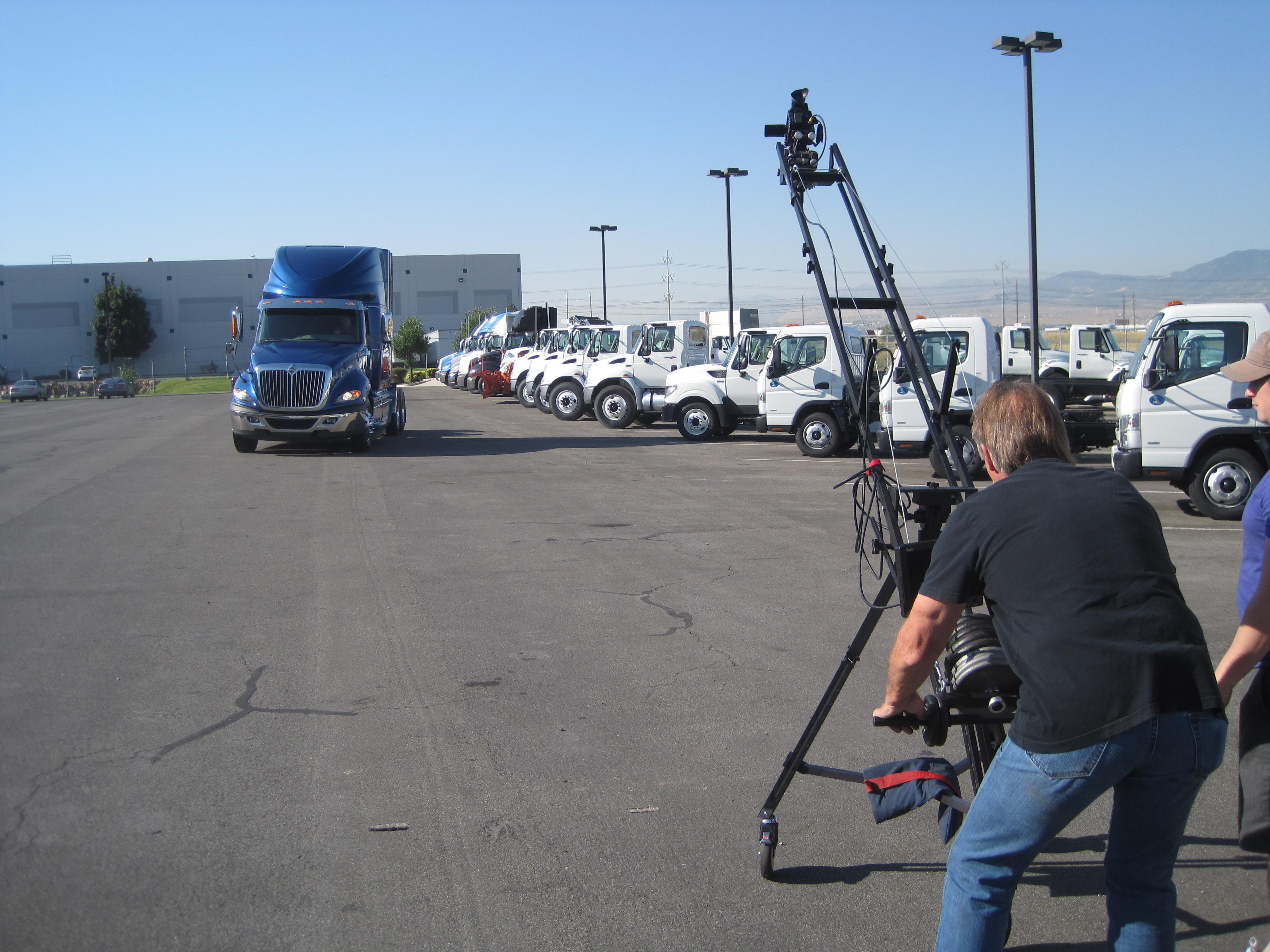
Smooth footage is essential in professional videography. To eliminate shaky shots, consider using a gimbal or a handheld stabilizer. These tools can make a significant difference in the overall quality of your videos, especially when you’re on the move.
Audio
Clear and high-quality audio is non-negotiable. Invest in a good shotgun microphone or lavalier microphones to ensure that your subjects’ voices come through crisp and clear. A portable audio recorder can serve as a backup for capturing pristine audio, especially in noisy environments.
Lighting
While run and gun videography often relies on natural light, having a portable LED light panel in your kit can be a game-changer. It allows you to control the lighting in challenging situations, ensuring that your subjects are well-lit and visually appealing.
Planning and Preparation
Efficiency in run and gun videography starts with careful planning and preparation. Here’s how to set yourself up for success:
Pre-Shoot Checklist
Storyboard: Even for spontaneous shoots, having a rough idea of the shots you need can save valuable time on location.
Equipment Check: Ensure all your gear is in working order and that you have all the necessary accessories, including spare batteries and memory cards.
Location Scouting: If possible, visit the shoot location in advance to assess lighting conditions and potential challenges.
Release Forms: If you’ll be capturing interviews or testimonials, make sure you have the necessary release forms signed by your subjects.
Shot List
Create a basic shot list to guide your shooting process. This list should include essential shots, angles, and compositions that you want to capture during the shoot. While flexibility is key in run and gun videography, having a roadmap helps maintain focus and ensures that you capture the necessary footage.
Efficient Workflow
Organize your equipment in a way that allows you to access what you need quickly. Consider using a camera backpack or a rolling case to keep everything organized and easily transportable. Time spent fumbling with gear is time wasted.
Lighting and Sound
Achieving professional-looking results in run and gun videography can be challenging, but proper lighting and sound techniques can make a significant difference.
Natural Light
Whenever possible, leverage natural light to your advantage. Shoot during the “golden hours” of sunrise and sunset to achieve soft, flattering lighting. If you’re shooting indoors, position your subject near windows to utilize natural light sources.
LED Lights
Portable LED lights are invaluable in run and gun situations. They provide a consistent and controllable source of light, allowing you to enhance the quality of your shots, even in challenging lighting conditions. Experiment with different angles and diffusion techniques to achieve the desired look.
Audio Considerations
Good audio is essential for corporate videos. To capture clear and professional sound on the go:
Use a shotgun microphone with a windscreen to reduce unwanted noise.
Employ lavalier microphones for interviews to ensure that each speaker’s voice is recorded separately.
Monitor audio levels using headphones to catch any issues during recording.
Record room tone to aid in post-production sound editing.
Interviews and Talking Heads
Many corporate videos feature interviews and talking heads, making it crucial to capture engaging and professional-looking footage. Here are some tips for success:
Composition
Use the rule of thirds to compose your shots, ensuring that your subject is off-center for a more visually appealing look.
Maintain eye contact with your subject, even if you’re behind the camera, to establish a connection and make them feel at ease.
Vary your shot sizes to add visual interest. Shoot wide, medium, and close-up shots to provide editors with options during post-production.
Interview Environment
Choose a quiet location free from distractions to conduct interviews.
Frame your subject against a neutral or relevant background that reinforces the message of the video.
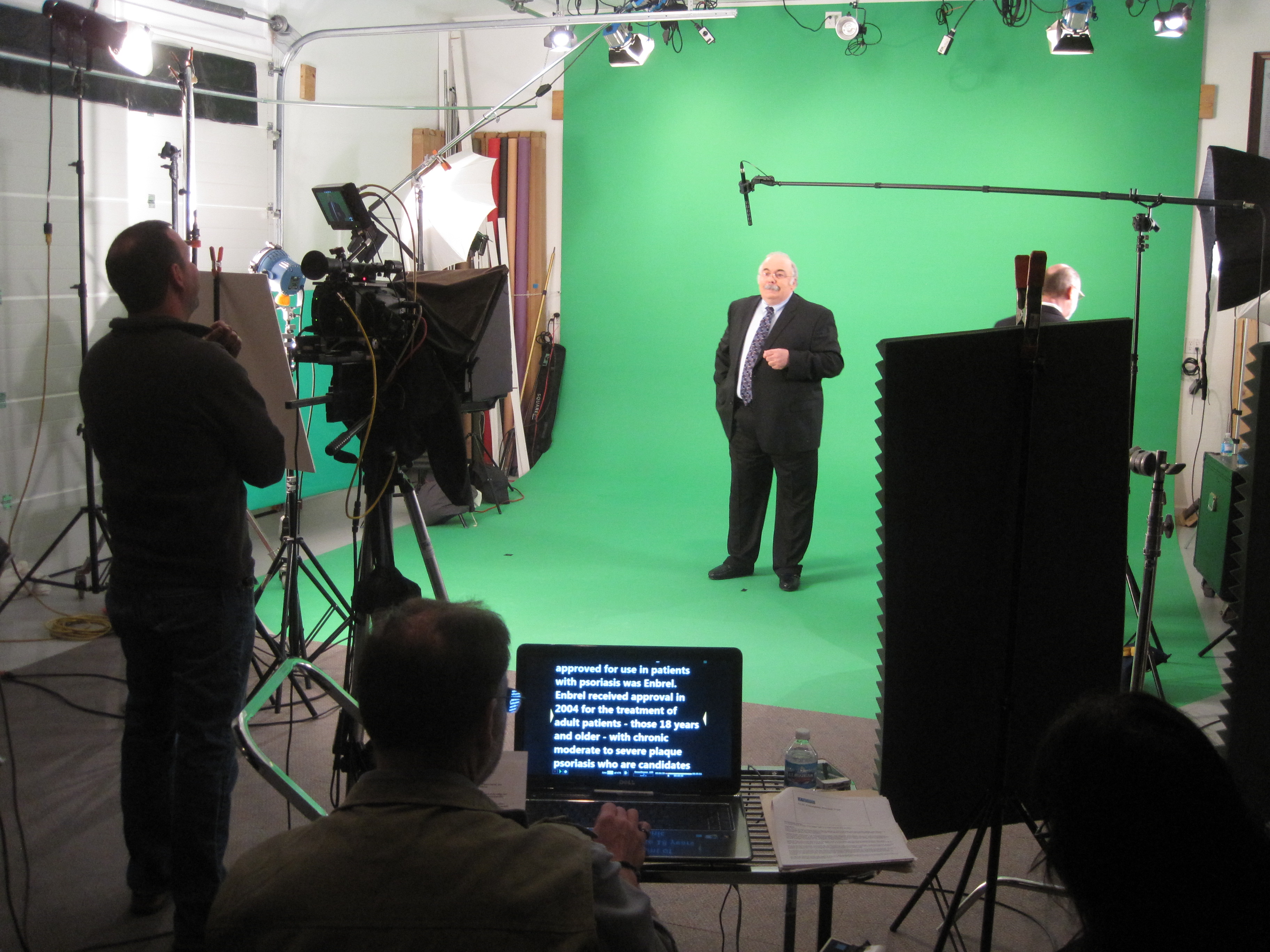
Consider using a teleprompter to help your subject deliver their message confidently and without hesitation.
Engaging Questions
Asking the right questions can elicit compelling responses from your interviewees:
Prepare a list of open-ended questions that encourage thoughtful answers.
Be an active listener and follow up on interesting points to dig deeper into the subject matter.
Maintain a conversational tone to keep the interviewee relaxed and engaged.
B-Roll and Cutaways
B-roll footage is the unsung hero of corporate videos. It provides context, visual interest, and helps cover edits. Here’s how to make the most of it:
Always Be Rolling
In run and gun videography, you never know when a great B-roll opportunity will arise. Keep your camera rolling even when you think you’ve captured the shot. You might capture a candid moment, an unexpected event, or a unique angle that enhances your video.
Covering Edits
B-roll can be a lifesaver during the editing process. It allows you to hide jump cuts, add transitions, and break up the monotony of a talking head segment. Whenever you have the chance, capture supplementary footage that can be used to smooth out your final edit.
Storytelling Shots
B-roll isn’t just about filling gaps; it can also contribute to the narrative. Look for shots that tell a visual story or reinforce the message of your video. For example, if your video is about a company’s commitment to sustainability, capture shots of employees recycling or using eco-friendly products.
Teleprompters for Efficiency
In the corporate world, delivering a polished message is essential. Teleprompters are a valuable tool for achieving efficiency and professionalism in your videos.
Benefits of Teleprompters
Ensure that your subject delivers their lines confidently and without errors.
Maintain a consistent pace and tone throughout the video.
Reduce the need for retakes, saving time and resources during production.
Enable non-professional speakers to deliver messages smoothly.
Setting Up a Teleprompter
To use a teleprompter effectively:
Place it near the camera lens so that the speaker maintains eye contact with the audience.
Adjust the scrolling speed to match the speaker’s comfort level.
Practice with the teleprompter before the shoot to ensure a natural delivery.
Repurposing Your Content
One of the strengths of run and gun videography is its ability to generate a wealth of content quickly. To maximize the value of your corporate video productions, consider repurposing your footage for various platforms and purposes:
Social Media
Cut shorter clips for social media platforms like Instagram, Twitter, and TikTok.
Create teaser videos to generate interest and drive traffic to your longer-form content.
Blog Posts
Transcribe your video content and use it as the basis for blog posts or articles.
Embed video clips within your blog posts to engage your audience visually.
Email Marketing
Use snippets from your video in email marketing campaigns to capture your audience’s attention.
Include links to the full video for those who want more information.
Webinars and Presentations
Extract key insights and statistics from your video to use in webinars and presentations.
Incorporate video clips to make your presentations more engaging.
Training Materials
Use video segments as training materials for employees or clients.
Create educational modules based on your video content.
By repurposing your content, you can extend its reach and impact, making the most of your run and gun videography efforts.
Conclusion
As a full-service video creation company, St. Louis Video has worked with many businesses and organizations in the St. Louis area to create their productions. We have experienced videographers, directors, and producers ready to create whatever video or photography service is needed. We are experts at shooting talking heads, interviews, and testimonials, and we ensure that the appropriate B-roll is captured to enhance the editing process. Additionally, we offer teleprompters to facilitate more professional and efficient message delivery.
In the world of corporate video production, the run and gun approach can be a powerful strategy when executed skillfully. It allows you to adapt to various creative needs quickly and efficiently while maintaining a high level of production quality. With the right equipment, preparation, and techniques, you can create impactful corporate videos that resonate with your audience.
So, whether you’re aiming to deliver a compelling message, showcase your company’s products and services, or engage your audience on social media, consider the strategies and insights shared in this article to make your run and gun videography efforts a success. Contact St. Louis Video today to explore how our expertise and creative crew service experience can elevate your corporate video production to the next level. Your vision, our expertise—let’s create something extraordinary together.
From Pre-Production to Post-Production: Understanding Video Studio Services
In the fast-paced digital age, video content has become the cornerstone of effective communication. Whether it’s for marketing, training, entertainment, or documentation, video production plays a crucial role in conveying messages and ideas to diverse audiences. However, creating high-quality videos that captivate your viewers and drive results requires expertise, equipment, and a well-structured production process. This is where a full-service commercial video production studio like St. Louis Video comes into play.
Skilled video editors meticulously go through the footage, selecting the best shots, and assembling them into a cohesive narrative. They add transitions, effects, and graphics to enhance the visual appeal.
In this comprehensive guide, we will explore the wide range of services a professional video studio offers, taking you through the journey from pre-production to post-production. By the end of this article, you’ll have a deep understanding of how a video studio can help you bring your vision to life.
Pre-Production: Setting the Foundation
Before the cameras start rolling and the lights come on, there’s a crucial phase called pre-production. This phase involves careful planning, organization, and decision-making. Here’s what a video studio can offer during pre-production:
1. Concept Development
At the heart of every successful video project is a compelling concept. Video studios have experienced professionals who can brainstorm ideas, develop concepts, and create storyboards that align with your goals and objectives. They ensure your video has a clear message and purpose.
2. Scriptwriting
A well-crafted script is the backbone of any video production. Video studios can provide scriptwriting services to create engaging narratives that resonate with your target audience. They understand the nuances of storytelling and how to convey your message effectively.
3. Location Scouting
Choosing the right location can make or break your video. Video studios have the expertise to scout and secure suitable locations for shooting, whether it’s in their own studios or on location. They consider factors like lighting, acoustics, and aesthetics to ensure a visually appealing result.
4. Casting and Talent Selection
If your video involves actors or presenters, a video studio can assist in casting the right talent for your project. They have access to a pool of experienced actors and can help you select individuals who can convey your message convincingly.
5. Equipment Procurement
Professional video production requires specialized equipment, from cameras and lighting to sound recording gear. A video studio is equipped with state-of-the-art tools and can handle the procurement and setup of all necessary equipment for your shoot.
6. Budgeting and Scheduling
Pre-production also involves creating a budget and schedule for your project. Video studios have the experience to estimate costs accurately and create a timeline that ensures a smooth production process.
Production: Bringing Ideas to Life
With pre-production complete, it’s time to move on to the production phase. This is when the cameras start rolling, and the magic happens. Here’s what a video studio offers during production:
1. Cinematography
Video studios employ skilled cinematographers who are experts in capturing stunning visuals. They use professional cameras, lenses, and techniques to create visually compelling footage that tells your story effectively.
2. Lighting
Proper lighting is essential for achieving the desired look and mood in your video. Video studios have a wide range of lighting equipment and experienced lighting technicians who can set up and control lighting to perfection.
3. Sound Recording
Good audio quality is just as important as video quality. Video studios have high-quality microphones, soundproofing equipment, and experienced sound engineers who ensure crystal-clear audio capture on set.
4. Direction and Coaching
During the shoot, directors and producers from the video studio guide the talent and crew to ensure everything aligns with the established vision. They provide direction, coaching, and feedback to get the best performances from everyone involved.
5. On-Set Management
Video studios handle all aspects of on-set management, from coordinating the crew to overseeing logistics. This ensures a smooth and efficient shooting process.
Post-Production: Crafting the Final Product
Once the footage is captured, it’s time to transition to the post-production phase. This is where the raw footage is transformed into a polished video. Here’s what a video studio offers during post-production:
1. Video Editing
Skilled video editors meticulously go through the footage, selecting the best shots, and assembling them into a cohesive narrative. They add transitions, effects, and graphics to enhance the visual appeal.
2. Audio Editing and Mixing
In post-production, audio editors clean up and enhance the recorded audio. They mix in background music, sound effects, and voiceovers to create a balanced and engaging audio experience.
3. Color Correction and Grading
Color correction and grading are essential for achieving a consistent and professional look in your video. Video studios use advanced software to adjust colors and tones to match the desired style.
4. Motion Graphics and Animation
If your video requires motion graphics or animation, video studios have skilled designers and animators who can create custom graphics to enhance your video’s message.
5. Final Delivery
Once the video is fully edited and polished, it’s time for delivery. Video studios can provide the final video in the format and resolution suitable for your intended use, whether it’s for broadcast, web, or social media.
Additional Services
In addition to the core services mentioned above, video studios offer a range of additional services to meet your specific needs:
Visual Effects (VFX): For videos that require special effects or CGI, video studios can integrate visual effects seamlessly into the final product.
Distribution Strategy: Video studios can help you develop a distribution strategy to ensure your video reaches the right audience through the appropriate channels.
SEO Optimization: To maximize the visibility of your video online, video studios can optimize your video content with proper SEO techniques, making it more discoverable on platforms like YouTube.
Multi-Platform Adaptation: Video studios are well-versed in producing content that suits various media platforms, ensuring your message is effectively delivered to your audience, whether on television, social media, or your website.
Why Choose St. Louis Video?
At St. Louis Video, we take pride in being a full-service commercial video production studio with extensive equipment and crew experience. Our commitment to excellence in every aspect of video production makes us the ideal partner for your next project.
Extensive Equipment
We are equipped with state-of-the-art cameras, lighting gear, sound equipment, and editing suites, ensuring that your video project benefits from the latest technology and tools.
Experienced Crew
Our team consists of experienced professionals in all aspects of video production, from concept development to post-production. We have the expertise to bring your vision to life effectively.
Customized Brand Identity
We understand the importance of maintaining a consistent brand identity across diverse media platforms. Our team can work with you to create videos that align with your brand’s message and style.
SEO Expertise
Maximizing the visibility of your videos is crucial in today’s digital landscape. We are well-versed in SEO techniques and can optimize your content for better search engine rankings.
Versatility in Media
No matter the file type or style of media, we have the knowledge and tools to handle it. From corporate videos to documentaries, commercials, and more, we’ve got you covered.
As a full-service video studio creation company, St. Louis Video has worked with many businesses in the St. Louis area to create impactful videos.
In the fast-paced world of video production, efficiency is the name of the game. Whether you’re working on a corporate video, a commercial, or a documentary, having a skilled video producer on your team can make all the difference. A video producer not only ensures that your project stays on track but also plays a crucial role in streamlining the entire shoot process. In this comprehensive guide, we’ll delve into the various ways in which a video producer can streamline your shoot process and why partnering with a full-service video production company like St Louis Video in St. Louis is the key to success.
A video producer is well-versed in the latest video production equipment and technology. They ensure that the right gear is on hand and in working order.
The Role of a Video Producer
Before we dive into the nitty-gritty details of how a video producer can streamline your shoot process, it’s essential to understand their role. A video producer is the backbone of any successful video production project. They oversee the entire production process, from concept development to post-production, ensuring that everything runs smoothly and efficiently. Here are some of the key responsibilities of a video producer:
Project Planning: A video producer starts by understanding your project’s goals and objectives. They create a detailed project plan, including timelines, budgets, and resource allocation.
Pre-production: During the pre-production phase, a video producer works closely with the creative team to develop the script, storyboard, and shot list. They also handle tasks such as location scouting, casting, and securing permits.
Production: On the day of the shoot, the video producer is in charge of coordinating all the elements, including the crew, talent, equipment, and logistics. They ensure that everything runs smoothly on set.
Post-production: After the shoot, the video producer oversees the editing, sound design, and visual effects, ensuring that the final product aligns with the project’s vision.
Budget Management: Throughout the entire process, a video producer keeps a close eye on the budget, making sure that expenses stay within the allocated funds.
Problem Solving: When unexpected challenges arise, as they often do in the world of video production, a skilled video producer finds solutions quickly to keep the project on track.
Now that we have a clear understanding of the video producer’s role, let’s explore how they can streamline your shoot process.
Streamlining Pre-production
1. Efficient Planning
One of the first ways a video producer streamlines your shoot process is through efficient planning. They meticulously map out every aspect of the project, leaving no room for ambiguity. This includes setting realistic timelines, identifying potential risks, and establishing contingency plans. With a well-thought-out plan in place, your shoot process starts on a solid foundation.
2. Creative Direction
A video producer works closely with the creative team to shape the project’s creative direction. They help refine the script, select the right visual style, and ensure that the project aligns with your brand’s messaging. This creative direction ensures that every shot taken on set serves a specific purpose and contributes to the overall story.
3. Location Scouting and Logistics
Finding the perfect location for your shoot is critical. A video producer takes charge of location scouting, ensuring that the chosen setting fits your project’s requirements. They also handle all the logistics, including securing permits, arranging transportation, and organizing catering. This attention to detail saves you time and minimizes potential disruptions during the shoot.
Smooth Production
4. Crew Coordination
On the day of the shoot, a video producer serves as the central point of communication. They coordinate the efforts of the entire crew, ensuring that everyone knows their roles and responsibilities. This coordination prevents miscommunication and keeps the production on track.
5. Equipment Management
A video producer is well-versed in the latest video production equipment and technology. They ensure that the right gear is on hand and in working order. This prevents delays and technical issues during the shoot, allowing the production to run smoothly.
6. Problem Solving on Set
In the unpredictable world of video production, issues can arise at any moment. Whether it’s bad weather, an equipment malfunction, or an unexpected talent issue, a video producer is skilled at problem-solving. Their ability to think on their feet and find quick solutions is invaluable in keeping the shoot process on schedule.
Streamlining Post-production
7. Post-production Supervision
Once the shoot is complete, a video producer’s role doesn’t end. They oversee the post-production process, ensuring that the editor, sound designer, and visual effects team have all the resources they need. Their supervision ensures that the project maintains its vision and quality during the editing phase.
8. Efficient Editing
A video producer’s involvement in post-production extends to the editing room. They work closely with the editor to make sure that the final cut aligns with the project’s goals. This collaboration streamlines the editing process, saving both time and resources.
9. Quality Control
Throughout the post-production phase, a video producer maintains a keen eye for detail. They conduct quality control checks to ensure that the final product meets the highest standards. This attention to detail is essential for delivering a polished and professional video.
Leveraging Technology for Efficiency
In addition to their skill set and expertise, video producers leverage technology to streamline the shoot process further. They use software tools for project management, scheduling, and communication to keep everyone on the same page. This tech-savvy approach ensures that no detail is overlooked, and the project stays on track.
The St. Louis Video Advantage
Now that we’ve explored how a video producer can streamline your shoot process, it’s time to discuss the advantages of partnering with a full-service video production company like St. Louis Video.
Extensive Equipment Options
St. Louis Video boasts a wide range of state-of-the-art video production equipment. From high-quality cameras and lighting to sound equipment and drones, we have the tools you need to bring your vision to life. Our extensive equipment options ensure that you have access to the latest technology, giving your project a competitive edge.
Experienced Producers and Crews
Our team at St. Louis Video includes highly experienced video producers and crews who are well-versed in all aspects of location and studio video recording and photography. They have a proven track record of delivering exceptional results, even in the most challenging environments. With St. Louis Video, you can trust that your project is in capable hands.
Seamless Video and Photography Integration
In today’s multimedia landscape, it’s essential to have both video and photography assets for your project. St. Louis Video specializes in simultaneously shooting video and photography, ensuring that you have a comprehensive visual package for your marketing and communication needs. This integration simplifies the production process and saves you time and resources.
Local Expertise
As a St. Louis-based company, we understand the local landscape and have strong relationships with the area’s vendors and talent. This local expertise allows us to navigate the logistics of your project efficiently, from obtaining permits to securing the ideal shooting locations.
Comprehensive Internal and External Communication Solutions
At St. Louis Video, we recognize that video is a powerful tool for both internal and external communication. Whether you need to create training videos, corporate messaging, or promotional content, we have the expertise to tailor our services to your specific needs. Our video producers work closely with you to understand your objectives and deliver a final product that exceeds your expectations.
A Call to Action
In conclusion, a skilled video producer is the key to streamlining your shoot process, ensuring efficiency, and delivering a high-quality video. When you partner with a full-service video production company like St. Louis Video, you gain access to extensive equipment options, experienced producers and crews, and seamless video and photography integration.
As a full-service video production company, St. Louis Video has worked with businesses of all sizes in the St. Louis area. We are experts at simultaneously shooting video and photography for your next project. Contact us today to discuss how we can elevate your internal and external communications through the power of visual storytelling. Let us be your trusted partner in bringing your vision to life.
Client testimonials are a powerful marketing tool for any business. They provide authentic and credible endorsements of your products or services, helping to build trust and confidence among potential customers. When it comes to shooting client testimonials, choosing the right location can make all the difference. In this article, we’ll explore the dos and don’ts of studio shoots for client testimonials, drawing from our extensive experience at St. Louis Video, a full-service video production studio based in St. Louis. We’ll guide you through the essential steps and considerations to ensure your studio shoot for client testimonials is a success.
Having extra footage to choose from during editing can be a lifesaver.
The Dos
1. Choose the Right Studio
Selecting the right studio is crucial for a successful client testimonial shoot. At St. Louis Video, we offer a state-of-the-art studio equipped with the latest technology and a comfortable, professional environment. Look for a studio that provides excellent lighting, soundproofing, and a variety of backdrops or sets to suit your specific needs.
2. Plan Ahead
Preparation is key to a successful shoot. Work closely with your video production team to create a detailed plan that includes a shooting schedule, script, and shot list. Make sure your client is well-prepared, and discuss the key talking points and messages they should convey during the testimonial.
3. Professional Lighting
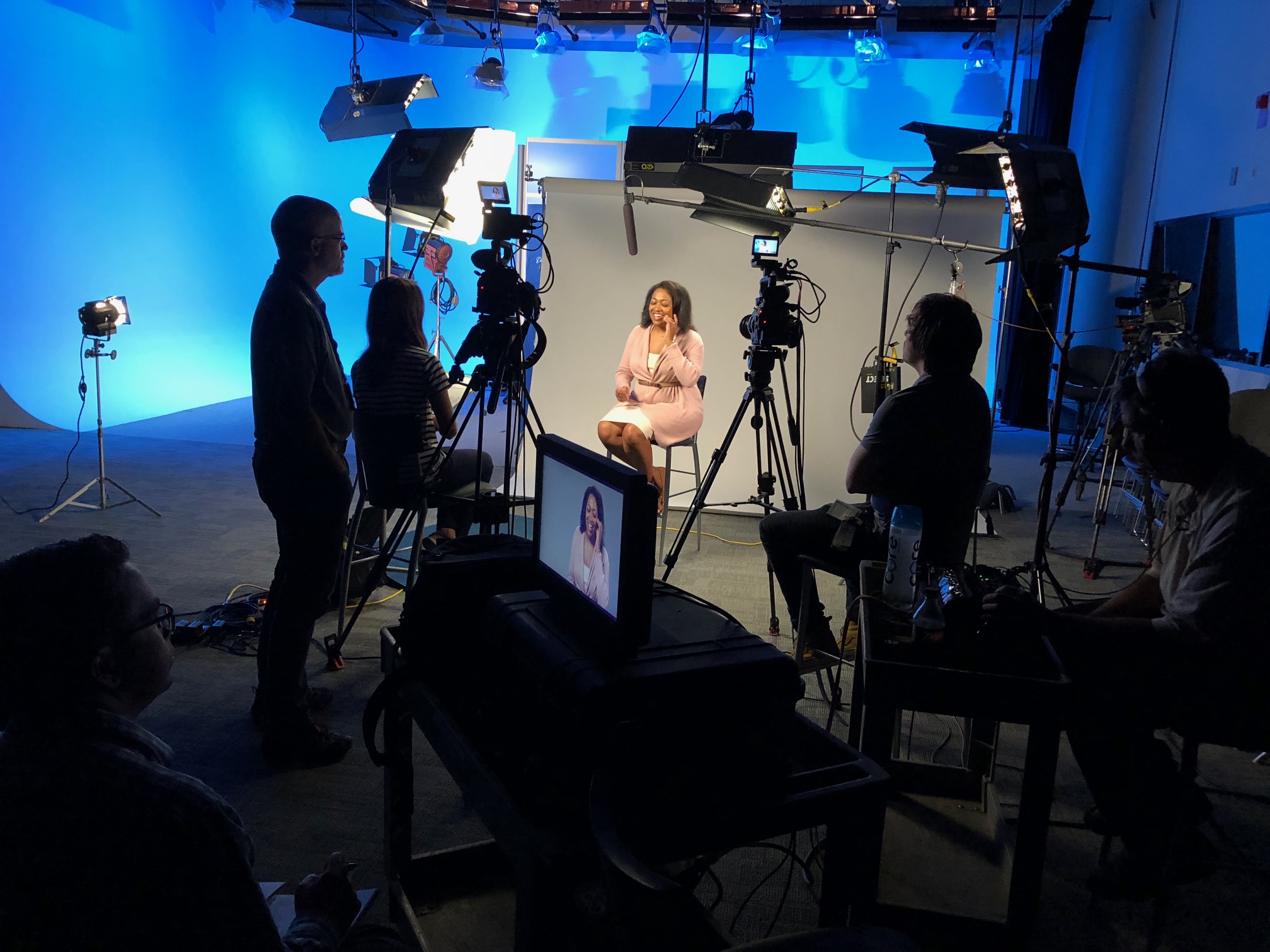
Proper lighting can make or break your testimonial video. Ensure that the studio you choose has adequate lighting equipment and a skilled lighting technician. Soft, even lighting can help create a flattering and professional look for your client.
4. High-Quality Audio
Sound quality is just as important as video quality. Invest in high-quality microphones and sound recording equipment to capture clear and crisp audio. At St. Louis Video, we have the expertise to ensure that every word spoken during the testimonial is crystal clear.
5. Camera Setup
Use professional-grade cameras and lenses to capture high-resolution video. Ensure that your camera setup is stable and that you have a skilled camera operator who can frame the shots effectively. Pay attention to composition and focus to create visually appealing content.
6. Create a Comfortable Environment
Make your client feel at ease in the studio. Provide comfortable seating, offer refreshments, and create a friendly and relaxed atmosphere. A comfortable client is more likely to deliver an authentic and compelling testimonial.
7. Multiple Takes
Don’t be afraid to do multiple takes. It’s common for clients to feel nervous in front of the camera, and sometimes it takes a few tries to get the perfect testimonial. Having extra footage to choose from during editing can be a lifesaver.
8. Edit Professionally
After the shoot, invest in professional video editing services. Editing can help remove any mistakes, improve pacing, and add graphics or music to enhance the final product. At St. Louis Video, we have a team of skilled editors who can transform your raw footage into a polished testimonial video.
The Don’ts
1. Neglect Audio Quality
Poor audio quality can ruin even the best video footage. Don’t rely on built-in camera microphones or low-quality recording equipment. Invest in proper audio equipment and ensure it’s set up correctly.
2. Overcomplicate the Set
While having a variety of backdrops and sets can be useful, don’t overcomplicate the studio setup. Keep the background simple and uncluttered to ensure the focus remains on the client and their testimonial.
3. Rush the Process
Client testimonials require time and patience. Rushing through the shoot can lead to mistakes and a less-than-optimal result. Allow ample time for preparation, filming, and editing.
4. Forget About Lighting
Lighting is essential, and neglecting it can result in unflattering shadows and a lack of clarity. Ensure that your studio has proper lighting equipment and that it’s used effectively.
5. Ignore the Script
While spontaneity is good, it’s important not to entirely rely on it. Provide your client with a script or key talking points to ensure that they cover all the necessary information in their testimonial.
6. Lack of Direction
Provide clear direction to your client. Don’t assume they know what to do in front of the camera. Encourage them to speak clearly, maintain eye contact with the camera, and be expressive in their delivery.
7. Skip the Rehearsal
Before hitting the record button, conduct a rehearsal with your client. This helps them get comfortable with the process and the script. Skipping the rehearsal can lead to awkward and unconvincing testimonials.
8. Underestimate the Importance of Editing
Editing is where the magic happens. Don’t underestimate the importance of professional editing. It can transform a good testimonial into a great one by removing mistakes, enhancing visuals, and creating a polished final product.
How St. Louis Video Can Help Your Business
As a creative video production studio, St. Louis Video has been at the forefront of the industry since 1982. Our extensive experience and commitment to excellence make us the perfect partner for your client testimonial needs. Here’s how our full-service video production studio can help your business:
State-of-the-Art Studio: We offer a top-notch studio in St. Louis equipped with the latest technology and a professional environment, ensuring the best possible shooting conditions for your client testimonials.
Expertise in Lighting and Sound: Our team of skilled professionals knows the importance of lighting and sound quality. We have the equipment and expertise to ensure that your testimonials look and sound fantastic.
Experienced Camera Operators: Our camera operators are experienced in capturing the best shots and framing to make your client testimonials visually appealing.
Professional Editing: Our editors are masters at their craft, ensuring that your testimonial videos are polished, error-free, and engaging.
Guidance and Direction: We’ll work closely with you and your clients to provide guidance and direction throughout the shoot, ensuring that the testimonials convey your desired message effectively.
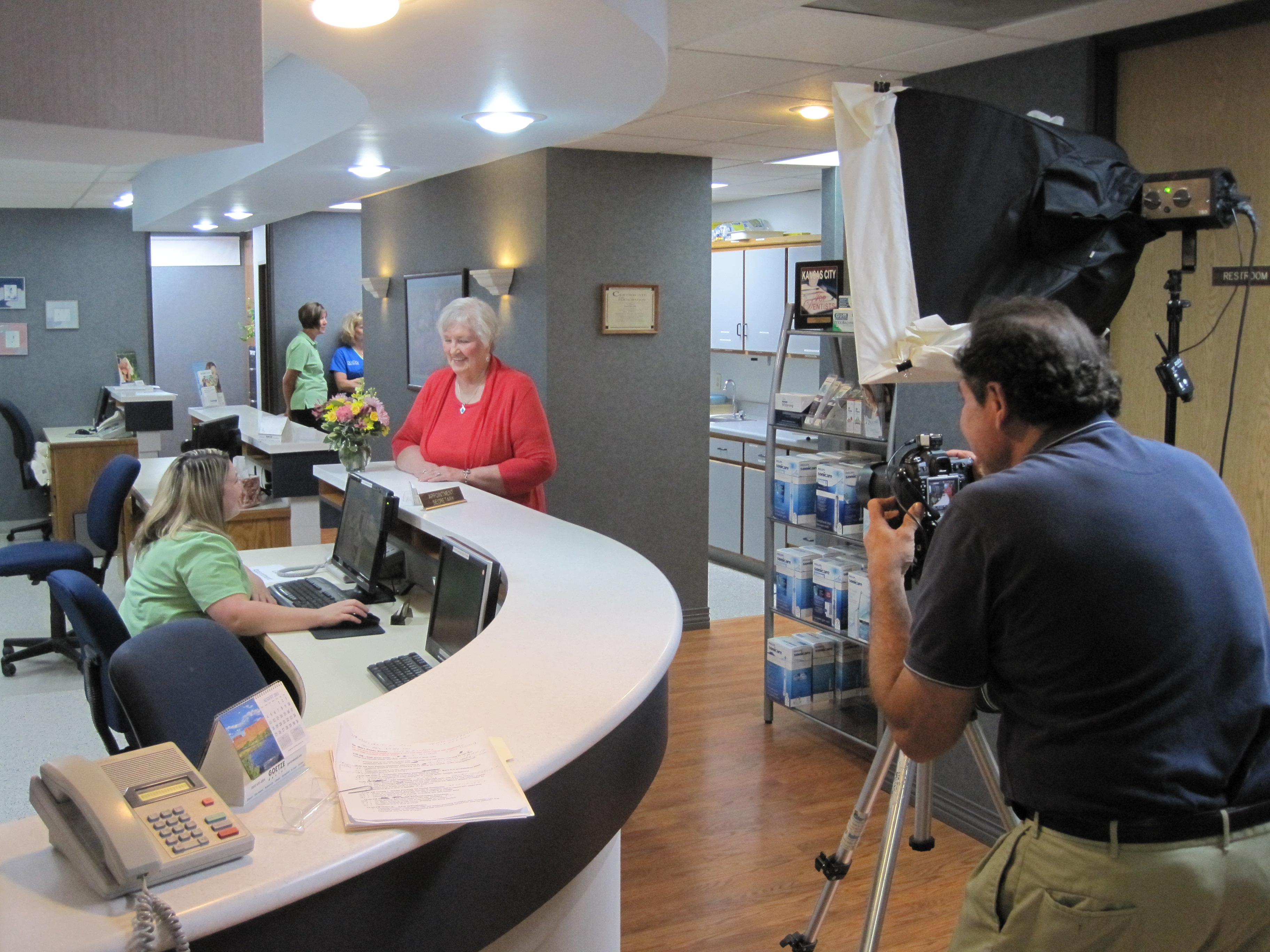
As a creative video production studio, St. Louis Video has worked with many businesses and organizations of all types and sizes in the St. Louis area. We are experts in shooting testimonials and gathering all the appropriate B-Roll shots to enhance the interview.
If you’re ready to take your client testimonials to the next level and leverage the power of video marketing, contact St. Louis Video today. We’ll partner with you to create compelling, authentic, and effective client testimonials that will boost your business’s credibility and attract new customers. Don’t miss out on the opportunity to harness the persuasive impact of client testimonials—partner with St. Louis Video and make your brand shine.
In the world of photography, capturing images is an art that is built upon technical foundations. One of the key technical aspects that greatly influences the quality and clarity of an image is resolution. Whether you’re a professional photographer or an enthusiast, understanding resolution is essential to producing images that stand out and make an impact. In this article, we’ll delve into the concept of resolution in photography, its significance, and how it plays a crucial role in the creation of stunning visual content.
The more pixels an image has, the higher its resolution and subsequently, the finer the details it can capture.
Understanding Resolution
Resolution in photography refers to the amount of detail that an image holds. It is often expressed in terms of pixels and represents the number of pixels present in both the width and height of an image. The more pixels an image has, the higher its resolution and subsequently, the finer the details it can capture. Resolution is a critical factor that determines how crisp an image appears when printed or displayed digitally.
Pixel Count and Image Quality
The pixel count directly correlates with image quality. A higher pixel count provides the capability to capture intricate details, vibrant colors, and smooth gradients. This becomes particularly evident when images are viewed in larger formats, such as posters or banners, where low-resolution images can appear pixelated and lack sharpness.
Modern cameras come with varying resolution capabilities, ranging from entry-level models to high-end professional cameras. For example, a typical smartphone might have a resolution of around 12 megapixels, while professional DSLR cameras can offer resolutions exceeding 50 megapixels.
Impact on Printing
Resolution plays a significant role in how an image appears when it’s printed. The concept of dots per inch (DPI) comes into play here. DPI refers to the number of ink dots printed per inch on paper. A higher DPI results in more dots, creating a smoother and more detailed print. To achieve high-quality prints, an image’s resolution needs to be appropriate for the desired print size.
If an image’s resolution is too low for the print size, the result is a phenomenon known as pixilation, where individual pixels become visible to the naked eye, leading to a loss of image clarity. To avoid pixilation and ensure a professional-looking print, it’s crucial to use images with adequate resolution for the intended print dimensions.
Resolution in Digital Displays
In the realm of digital displays, such as computer monitors, tablets, and smartphones, resolution also plays a pivotal role. The clarity and sharpness of images on these screens are greatly influenced by their pixel density. Pixel density refers to the number of pixels per inch on a display screen. Displays with higher pixel densities showcase images more vividly and with finer details.
Common display resolutions include Full HD (1920×1080 pixels), 4K Ultra HD (3840×2160 pixels), and even 8K Ultra HD (7680×4320 pixels). The choice of resolution depends on the display’s physical dimensions and the intended use. For instance, a larger monitor would require a higher resolution to maintain image sharpness, especially when viewing from a closer distance.
Balancing Resolution and File Size
While high resolution is desirable for capturing details, it’s essential to strike a balance between resolution and file size, especially when it comes to sharing images online. Images with extremely high resolutions can result in large file sizes, which might be impractical for web usage due to slower loading times.
Compression techniques, such as JPEG and PNG formats, help reduce file sizes while maintaining acceptable image quality. However, excessive compression can lead to a loss of detail and an increase in artifacts. Finding the right balance between resolution and file size is crucial when preparing images for different platforms.
How St Louis Video & Photo Can Elevate Your Visual Content
As a full-service video production and photography studio based in St. Louis, we at St Louis Video & Photo understand the intricacies of resolution and its role in creating captivating visual content. With years of experience, we’ve catered to the diverse needs of businesses and organizations, both large and small, in the St. Louis region.
Our team of experienced professionals excels in all aspects of video production and photography, ensuring that your multimedia creations are of the highest quality. Whether it’s corporate branding, business marketing, or any other visual communication needs, we have the expertise to deliver exceptional results.
As a professional photo and video company, St Louis Video & Photo has produced hundreds of video projects for all types of businesses and organizations. Our commitment to excellence and attention to detail set us apart as a trusted partner for all your visual content requirements.
Don’t settle for ordinary. Elevate your brand with visually striking content. Contact St Louis Video & Photo to explore how we can enhance your corporate branding and business marketing through the power of high-quality video production and photography.
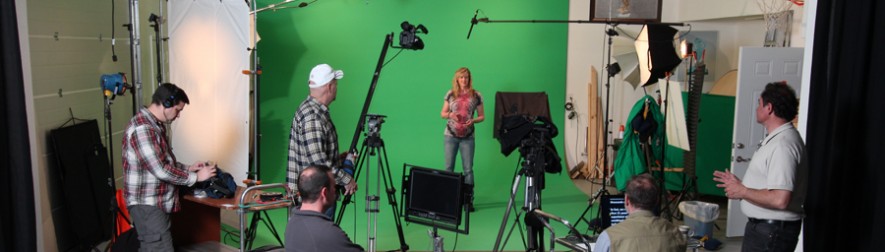
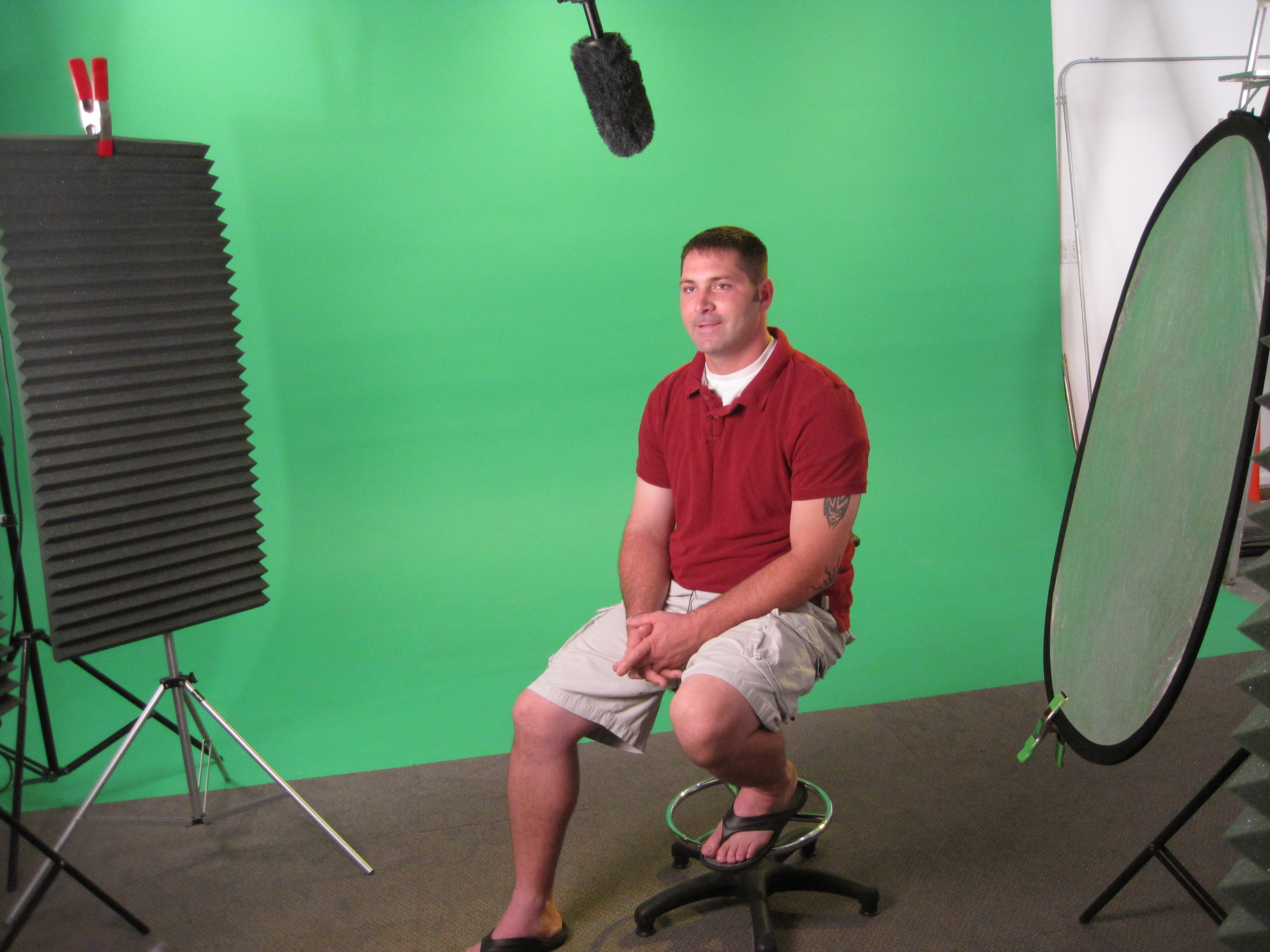
As technology continues to advance, the world of video production has undergone remarkable transformations. One of the most intriguing and versatile techniques that have gained immense popularity is the use of green screen backgrounds in video content. Also known as chroma keying, this innovative method allows video producers to replace the green background with any digital backdrop, opening up a realm of creative possibilities for businesses and content creators alike.
Green screen backgrounds offer a unique opportunity to incorporate branding elements seamlessly into your video content.
At St Louis Video and Photo, we understand the power of green screen backgrounds in elevating video content to the next level. As a full-service commercial video production and photography company based in St. Louis, we take pride in our expertise and dedication to helping businesses achieve their branding and marketing communication goals through outstanding video production and photography services. In this blog post, we will delve into the art of using green screen backgrounds, providing comprehensive insights and tips to help you create captivating video content.
What Is Green Screen?
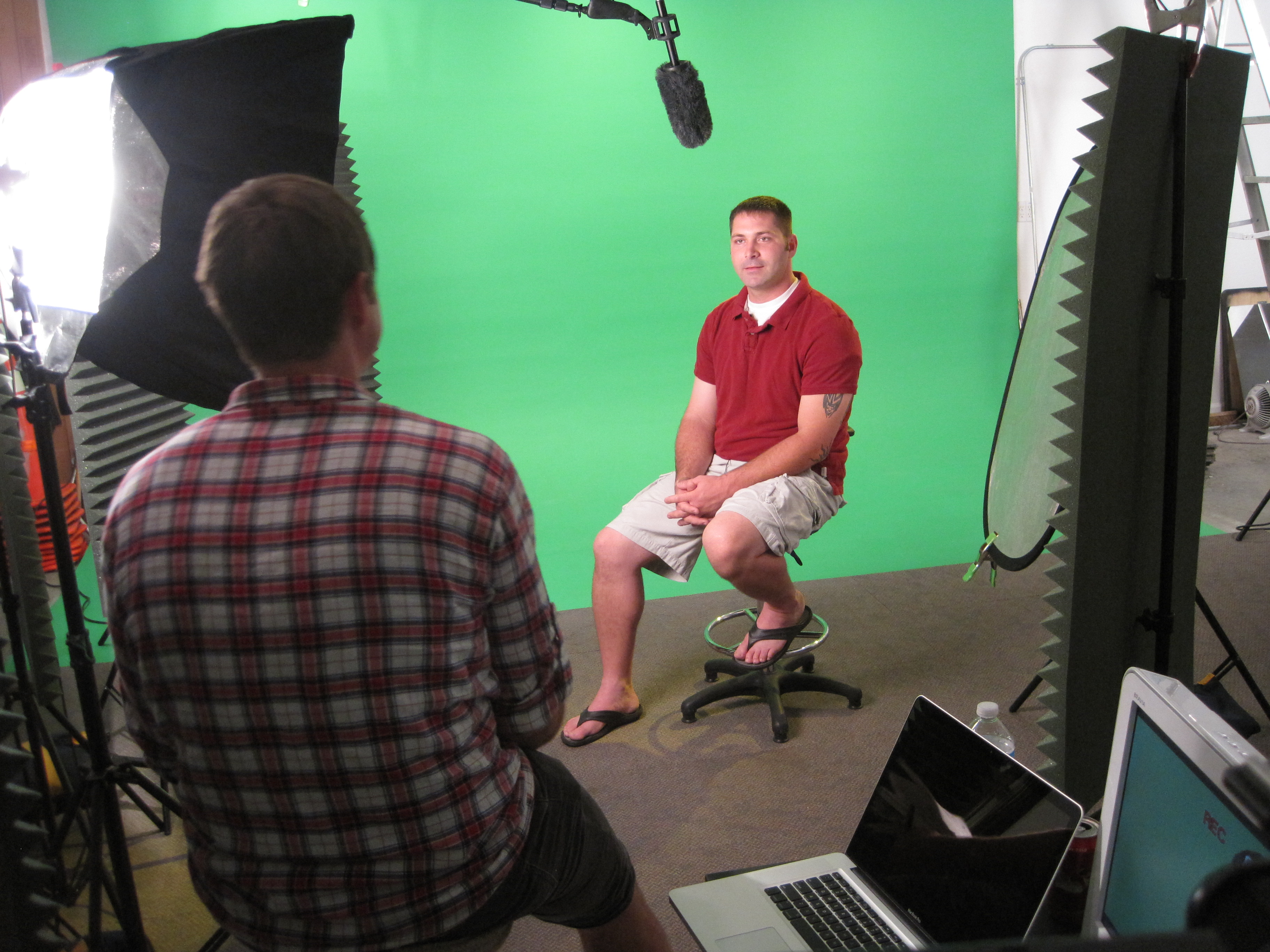
Green screen, or chroma key, is a technique that allows filmmakers and videographers to merge two images or video streams together. It involves filming a subject against a green backdrop and then digitally removing the green color in post-production, replacing it with a different background. While green is the most commonly used color due to its contrast with human skin tones, blue screens and, occasionally, other colors are also used based on the subjects’ colors.
The Advantages of Using Green Screen Backgrounds
1. Creative Freedom and Versatility
One of the primary advantages of green screen backgrounds is the freedom it offers in terms of creativity and versatility. With a green screen, you can transport your subjects to virtually any location, whether it’s a bustling cityscape, an exotic beach, or a far-off planet. This flexibility opens up endless possibilities for storytelling and visual appeal in your video content.
2. Cost-Effective Solutions
Green screen backgrounds often serve as a cost-effective alternative to shooting on location. Travel expenses, permits, and location fees can quickly add up, making certain video concepts financially unfeasible for many businesses. By utilizing green screen technology, you can achieve the illusion of various settings without the need to physically be present at those locations.
3. Consistency and Control
Filming in unpredictable environments can introduce challenges such as changing lighting conditions, weather issues, or unwanted background elements. With green screen backgrounds, you can ensure complete control over the visual elements, resulting in consistent and professional-looking video content every time.
4. Enhanced Branding Opportunities
Green screen backgrounds offer a unique opportunity to incorporate branding elements seamlessly into your video content. By placing your logo, products, or other brand visuals in the background, you can reinforce brand identity and enhance recognition.
Tips for Using Green Screen Backgrounds Effectively
Now that we’ve explored the benefits of green screen backgrounds, let’s delve into some essential tips to ensure you use this technique effectively in your video content:
1. Proper Lighting Setup
Achieving the perfect green screen effect heavily relies on proper lighting. Ensure that your subject is evenly lit to avoid shadows and hotspots on the green screen backdrop. Additionally, use separate lighting for your subject and the green screen to minimize color spillage on your subject.
2. High-Quality Green Screen Material
Invest in a high-quality green screen material to avoid unwanted wrinkles or color inconsistencies. A wrinkle-free and evenly colored backdrop will save you significant time and effort during the post-production process.
3. Mindful Wardrobe Choices
Advise your subjects to avoid wearing clothing with colors similar to the green screen backdrop. Otherwise, parts of their clothing may get digitally replaced with the background during post-production.
4. Pay Attention to Perspective
When shooting your subjects with the intention of placing them in a different environment, ensure that their movements and perspectives align with the background to maintain a realistic and immersive experience for the viewers.
5. Choose the Right Editing Software
Selecting the right video editing software is crucial for achieving seamless results. Adobe Premiere Pro, Final Cut Pro, and After Effects are some of the popular options that offer advanced chroma keying tools.
6. Incorporate Realistic Audio
Don’t forget about audio! Ensure that the sound matches the new environment to maintain a sense of authenticity. Properly mix sound effects and Foley to create a convincing auditory experience.
St Louis Video and Photo: Your Green Screen Experts
As professional videographers and photographers, St Louis Video and Photo has photographed hundreds of green screen productions for all types of large and small businesses and events in the St. Louis region. Our experience in handling green screen video recording and editing for multimedia productions sets us apart as the go-to experts for creating captivating video content that leaves a lasting impression on your audience.
With our skilled team, state-of-the-art equipment, and dedication to excellence, we are well-versed in helping businesses and content creators harness the power of green screen backgrounds effectively. Whether you’re looking to create engaging marketing videos, corporate training materials, or immersive brand experiences, St Louis Video and Photo is here to fulfill all your video and photography requirements.
Contact us today to discuss your next project and discover how we can elevate your branding and business marketing communications through our top-notch video production and photography services. Let’s collaborate and bring your creative vision to life!




















 St Louis Video & Photo