In today’s competitive content landscape, professional video production is no longer a luxury—it’s a necessity. For businesses and organizations looking to tell their story visually, the most engaging productions often combine both ground-level cinematography and dynamic aerial footage. But while drone shots can elevate the production value of a video, poorly integrated transitions between ground and aerial shots can disrupt the viewer’s experience and dilute your message.
At St Louis Video, we’ve spent decades mastering the art of blending these two distinct perspectives to create visually rich, cohesive, and compelling content that resonates with audiences and reinforces brand authority. Here’s how to do it right.
1. Plan for the Blend in Pre-Production
The secret to seamlessly integrating drone and ground footage begins before you press record. During pre-production, define your project’s narrative arc and determine where aerial footage can best enhance the story—whether that’s an opening establishing shot, a transitional sequence, or a visual climax. Consider shot types, camera movement, lighting consistency, and scene pacing so both aerial and ground teams are aligned.
At St Louis Video, our creative team works collaboratively to storyboard sequences that take advantage of the dynamic contrast between drone and ground angles, ensuring every shot has a purpose and fits smoothly into the larger visual narrative.
2. Match Camera Settings and Frame Rates
One of the most common missteps in mixing aerial and ground video is failing to match frame rates, shutter speeds, and color profiles. Whether you’re capturing footage on a drone-mounted camera or a ground-based cinema rig, consistency is key. If your drone shoots in 4K at 24fps and your ground camera records in 30fps, you’ll encounter jarring discrepancies in motion and feel.
Our operators at St Louis Video standardize camera settings across all equipment to maintain a professional and uniform aesthetic, making the footage easier to edit and far more fluid on screen.
3. Use Motion to Bridge the Gap
Visual motion is a powerful editing tool when blending perspectives. For example, a tracking ground shot of a vehicle or person moving forward can cut seamlessly into a drone’s forward-moving shot from above. Matching movement direction and speed helps the eye transition naturally, creating an uninterrupted flow that keeps the viewer immersed.
Whether we’re filming a logistics company’s fleet rolling out or a real estate development’s landscape reveal, we use movement cues to ensure edits feel intentional and cinematic.
4. Mind Your Light and Weather Conditions
A sunny drone shot won’t pair well with a cloudy ground sequence. Lighting mismatches not only undermine the production quality but also draw attention to the edit. That’s why we closely monitor weather conditions and schedule both aerial and ground shoots under similar lighting conditions for seamless integration.
Additionally, our drone pilots and ground crews are in constant communication on shoot days to adjust to changing light and adapt accordingly—something many less experienced crews overlook.
5. Color Grading Ties It All Together
Even with perfectly matched shots, raw footage often requires color grading to bring both perspectives into alignment. Drone cameras typically have different sensors and color science than ground cameras. In post-production, we apply consistent LUTs (Look-Up Tables), contrast adjustments, and saturation tuning to unify the look and feel of the entire video.
At St Louis Video, our in-house editors specialize in color matching across devices, ensuring your brand’s visual identity remains consistent from the ground to the sky.
6. Add Subtle Sound Design for Continuity
Sound is an often-overlooked ally in visual transitions. By layering continuous ambient audio or well-chosen music tracks over both drone and ground scenes, you help the viewer’s ear bridge the visual transition. Fading in natural sounds like wind, footsteps, or city ambiance adds realism and maintains engagement.
Why Choose St Louis Video for Ground + Drone Integration?
At St Louis Video, we specialize in professional video production that blends storytelling, technical expertise, and artistic vision. Since 1982, we’ve served businesses, marketing firms, and creative agencies in the St. Louis region with full-service studio and on-location video and photography production.
Whether you need sweeping drone footage, polished ground-level cinematography, or smooth transitions that make both look like part of the same scene, we’ve got the experience and equipment to make it happen. Our private studio space is tailored for interview and product shoots, and our certified drone pilots can even fly indoors when the location requires it.
We’re not just capturing footage—we’re crafting cohesive content that gets results. From AI-enhanced post-production to creative repurposing of your brand’s visual assets, we handle every detail to ensure your message lands with clarity and impact.
Let St Louis Video help you elevate your next production—from ground to sky, and everything in between.
In the realm of corporate communications and marketing, client video testimonials are a powerful tool. They provide authentic, relatable, and persuasive content that can significantly enhance your brand’s credibility and appeal. However, one of the most common questions decision-makers face is: How long should these testimonials be? The answer depends on several factors, including your audience, the platform where the video will be shared, and the message you want to convey.
Start with a brief introduction of the client, their business, and their relationship with your company.
Understanding Your Audience
The length of your client video testimonial should primarily be determined by your audience’s attention span and preferences. In today’s fast-paced digital world, audiences often have limited time and a shorter attention span. For most business-related content, keeping videos concise and to the point is crucial.
Short Attention Spans: Studies have shown that viewers tend to lose interest in videos that are too long. A general guideline is to keep testimonial videos between 1 to 3 minutes. This duration is long enough to provide valuable insights and keep the viewer engaged without overwhelming them.
Platform Considerations: Different platforms have varying optimal video lengths. For example:
Social Media (Facebook, Instagram, LinkedIn): Aim for 30 seconds to 1 minute. These platforms cater to users who scroll quickly through content.
YouTube: Videos can be slightly longer, ranging from 2 to 3 minutes, as users on this platform are more inclined to watch longer content.
Website: For embedding on your company’s website, 1 to 2 minutes is often ideal. This provides enough time to convey the testimonial’s message while maintaining viewer interest.
Crafting the Message
The content of your client video testimonial is as important as its length. Here are some key elements to include to ensure your video is both impactful and engaging:
Clear Introduction: Start with a brief introduction of the client, their business, and their relationship with your company. This sets the context and establishes credibility.
Specific Benefits: Encourage clients to speak about specific benefits they have experienced from your product or service. Detailed, real-world examples resonate more than vague praises.
Problem-Solution Narrative: Highlight the problem the client faced before working with you and how your solution effectively addressed it. This narrative structure is compelling and relatable.
Results and Outcomes: Quantifiable results and outcomes make testimonials more convincing. Ask clients to share any measurable improvements they have seen since using your service.
Emotional Appeal: Testimonials that convey genuine emotion and enthusiasm are more engaging. Encourage clients to express their satisfaction and the impact on their business or personal life.
Editing and Post-Production
Effective editing is crucial in ensuring your video testimonial is concise, clear, and professional. Here are some tips:
Cut Unnecessary Content: Trim any irrelevant or repetitive content to keep the video focused.
Add Visuals and Graphics: Use visuals, graphics, and on-screen text to reinforce key points and make the video more visually appealing.
Maintain High Quality: Ensure high-quality audio and visuals. Poor production quality can distract from the message and reduce credibility.
The Expertise of St Louis Video & Photo
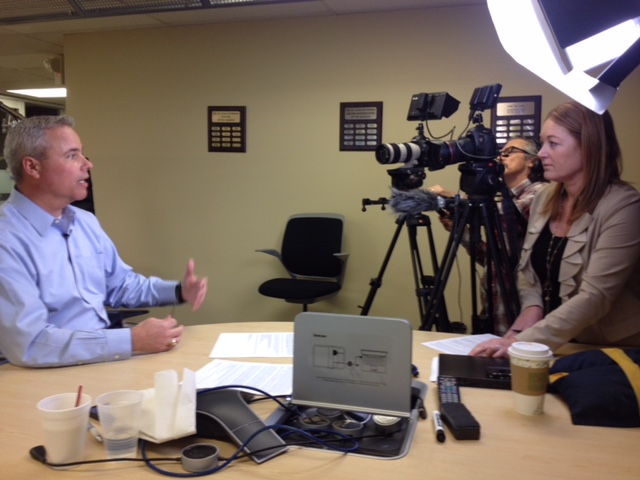
At St Louis Video & Photo, we understand the nuances of creating impactful client video testimonials. Our experience as a full-service professional commercial photography and video production company equips us with the right equipment and creative crew service experience for successful image acquisition. We offer full-service studio and location video and photography, as well as editing, post-production, and licensed drone pilots.
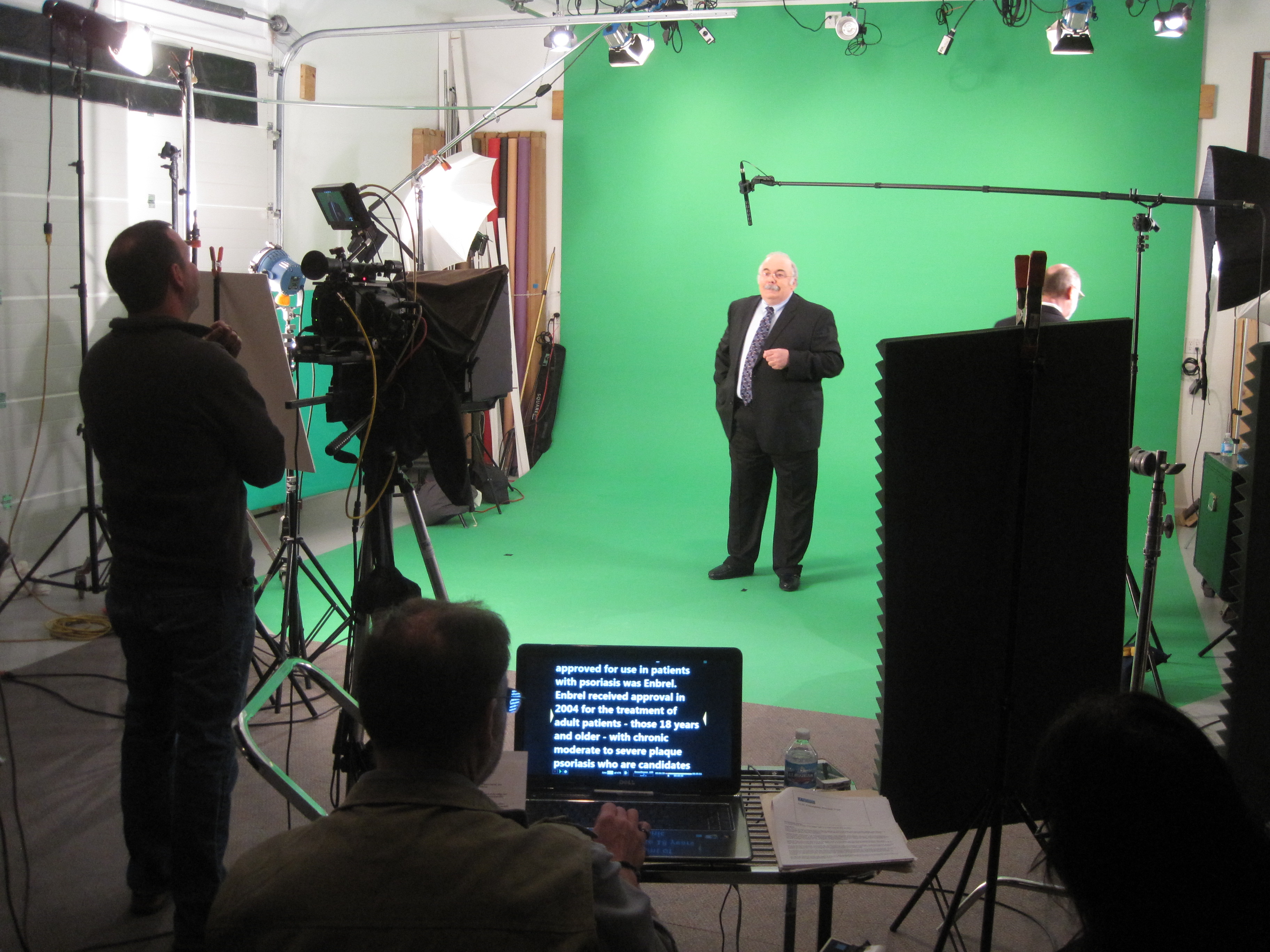
We can customize your productions for diverse types of media requirements, ensuring your photography and video branding gain maximum traction. Our team is well-versed in all file types and styles of media and accompanying software. Our private studio lighting and visual setup is perfect for small productions and interview scenes, while our studio is large enough to incorporate props to round out your set.
From a private custom interview studio setup to providing sound and camera operators and equipment, we have everything needed to make your next video production perfect. Our specialized drones can even fly indoors, adding a unique perspective to your shoots. Since 1982, St Louis Video & Photo has worked with numerous businesses, marketing firms, and agencies in the St. Louis area for their corporate photography and video needs.
By choosing St Louis Video & Photo, you are partnering with a team of experienced professionals dedicated to delivering high-quality visual content that meets your specific needs. Let us help you create compelling client video testimonials that effectively communicate your brand’s success stories and build trust with your audience.
The term “run and gun” might conjure images of chaotic, unplanned shooting, but in the hands of an experienced video producer, it becomes a strategic approach for delivering impactful corporate videos. At St. Louis Video, we understand the challenges and opportunities of run and gun videography, and we’re here to guide you through the process. As a full-service video production company with a wealth of equipment and creative crew service experience, we can help you create compelling productions that meet your diverse creative needs.
B-roll footage is the unsung hero of corporate videos. It provides context, visual interest, and helps cover edits.
The Essence of Run and Gun Videography
Run and gun videography refers to a style of shooting that’s characterized by its speed, flexibility, and minimalistic approach to gear. It’s the art of capturing engaging content on the fly, often in unpredictable settings, without sacrificing quality. This approach is particularly valuable for corporate videos, where efficiency and adaptability are paramount.
Here are some key aspects of run and gun videography that we’ll explore in this article:
Equipment Essentials: What gear do you need to succeed as a run and gun videographer?
Planning and Preparation: How to organize your shoot for maximum efficiency.
Lighting and Sound: Tips for achieving professional results on the go.
Interviews and Talking Heads: Strategies for capturing compelling interviews and testimonials.
B-Roll and Cutaways: The importance of supplementary footage in post-production.
Teleprompters for Efficiency: Enhancing message delivery in corporate videos.
Repurposing Your Content: Maximizing the value of your corporate video productions.
Equipment Essentials
Camera Selection
One of the hallmarks of run and gun videography is the use of lightweight, portable cameras that don’t compromise on image quality. Many professionals opt for mirrorless cameras or compact camcorders with excellent low-light performance. These cameras offer the flexibility needed to move quickly and adapt to changing shooting conditions.
Lenses
Investing in a versatile set of lenses is crucial for a run and gun videographer. A fast prime lens for low-light situations, a wide-angle lens for establishing shots, and a zoom lens for flexibility are all valuable additions to your toolkit.
Stabilization
Smooth footage is essential in professional videography. To eliminate shaky shots, consider using a gimbal or a handheld stabilizer. These tools can make a significant difference in the overall quality of your videos, especially when you’re on the move.
Audio
Clear and high-quality audio is non-negotiable. Invest in a good shotgun microphone or lavalier microphones to ensure that your subjects’ voices come through crisp and clear. A portable audio recorder can serve as a backup for capturing pristine audio, especially in noisy environments.
Lighting
While run and gun videography often relies on natural light, having a portable LED light panel in your kit can be a game-changer. It allows you to control the lighting in challenging situations, ensuring that your subjects are well-lit and visually appealing.
Planning and Preparation
Efficiency in run and gun videography starts with careful planning and preparation. Here’s how to set yourself up for success:
Pre-Shoot Checklist
Storyboard: Even for spontaneous shoots, having a rough idea of the shots you need can save valuable time on location.
Equipment Check: Ensure all your gear is in working order and that you have all the necessary accessories, including spare batteries and memory cards.
Location Scouting: If possible, visit the shoot location in advance to assess lighting conditions and potential challenges.
Release Forms: If you’ll be capturing interviews or testimonials, make sure you have the necessary release forms signed by your subjects.
Shot List
Create a basic shot list to guide your shooting process. This list should include essential shots, angles, and compositions that you want to capture during the shoot. While flexibility is key in run and gun videography, having a roadmap helps maintain focus and ensures that you capture the necessary footage.
Efficient Workflow
Organize your equipment in a way that allows you to access what you need quickly. Consider using a camera backpack or a rolling case to keep everything organized and easily transportable. Time spent fumbling with gear is time wasted.
Lighting and Sound
Achieving professional-looking results in run and gun videography can be challenging, but proper lighting and sound techniques can make a significant difference.
Natural Light
Whenever possible, leverage natural light to your advantage. Shoot during the “golden hours” of sunrise and sunset to achieve soft, flattering lighting. If you’re shooting indoors, position your subject near windows to utilize natural light sources.
LED Lights
Portable LED lights are invaluable in run and gun situations. They provide a consistent and controllable source of light, allowing you to enhance the quality of your shots, even in challenging lighting conditions. Experiment with different angles and diffusion techniques to achieve the desired look.
Audio Considerations
Good audio is essential for corporate videos. To capture clear and professional sound on the go:
Use a shotgun microphone with a windscreen to reduce unwanted noise.
Employ lavalier microphones for interviews to ensure that each speaker’s voice is recorded separately.
Monitor audio levels using headphones to catch any issues during recording.
Record room tone to aid in post-production sound editing.
Interviews and Talking Heads
Many corporate videos feature interviews and talking heads, making it crucial to capture engaging and professional-looking footage. Here are some tips for success:
Composition
Use the rule of thirds to compose your shots, ensuring that your subject is off-center for a more visually appealing look.
Maintain eye contact with your subject, even if you’re behind the camera, to establish a connection and make them feel at ease.
Vary your shot sizes to add visual interest. Shoot wide, medium, and close-up shots to provide editors with options during post-production.
Interview Environment
Choose a quiet location free from distractions to conduct interviews.
Frame your subject against a neutral or relevant background that reinforces the message of the video.
Consider using a teleprompter to help your subject deliver their message confidently and without hesitation.
Engaging Questions
Asking the right questions can elicit compelling responses from your interviewees:
Prepare a list of open-ended questions that encourage thoughtful answers.
Be an active listener and follow up on interesting points to dig deeper into the subject matter.
Maintain a conversational tone to keep the interviewee relaxed and engaged.
B-Roll and Cutaways
B-roll footage is the unsung hero of corporate videos. It provides context, visual interest, and helps cover edits. Here’s how to make the most of it:
Always Be Rolling
In run and gun videography, you never know when a great B-roll opportunity will arise. Keep your camera rolling even when you think you’ve captured the shot. You might capture a candid moment, an unexpected event, or a unique angle that enhances your video.
Covering Edits
B-roll can be a lifesaver during the editing process. It allows you to hide jump cuts, add transitions, and break up the monotony of a talking head segment. Whenever you have the chance, capture supplementary footage that can be used to smooth out your final edit.
Storytelling Shots
B-roll isn’t just about filling gaps; it can also contribute to the narrative. Look for shots that tell a visual story or reinforce the message of your video. For example, if your video is about a company’s commitment to sustainability, capture shots of employees recycling or using eco-friendly products.
Teleprompters for Efficiency
In the corporate world, delivering a polished message is essential. Teleprompters are a valuable tool for achieving efficiency and professionalism in your videos.
Benefits of Teleprompters
Ensure that your subject delivers their lines confidently and without errors.
Maintain a consistent pace and tone throughout the video.
Reduce the need for retakes, saving time and resources during production.
Enable non-professional speakers to deliver messages smoothly.
Setting Up a Teleprompter
To use a teleprompter effectively:
Place it near the camera lens so that the speaker maintains eye contact with the audience.
Adjust the scrolling speed to match the speaker’s comfort level.
Practice with the teleprompter before the shoot to ensure a natural delivery.
Repurposing Your Content
One of the strengths of run and gun videography is its ability to generate a wealth of content quickly. To maximize the value of your corporate video productions, consider repurposing your footage for various platforms and purposes:
Social Media
Cut shorter clips for social media platforms like Instagram, Twitter, and TikTok.
Create teaser videos to generate interest and drive traffic to your longer-form content.
Blog Posts
Transcribe your video content and use it as the basis for blog posts or articles.
Embed video clips within your blog posts to engage your audience visually.
Email Marketing
Use snippets from your video in email marketing campaigns to capture your audience’s attention.
Include links to the full video for those who want more information.
Webinars and Presentations
Extract key insights and statistics from your video to use in webinars and presentations.
Incorporate video clips to make your presentations more engaging.
Training Materials
Use video segments as training materials for employees or clients.
Create educational modules based on your video content.
By repurposing your content, you can extend its reach and impact, making the most of your run and gun videography efforts.
Conclusion
As a full-service video creation company, St. Louis Video has worked with many businesses and organizations in the St. Louis area to create their productions. We have experienced videographers, directors, and producers ready to create whatever video or photography service is needed. We are experts at shooting talking heads, interviews, and testimonials, and we ensure that the appropriate B-roll is captured to enhance the editing process. Additionally, we offer teleprompters to facilitate more professional and efficient message delivery.
In the world of corporate video production, the run and gun approach can be a powerful strategy when executed skillfully. It allows you to adapt to various creative needs quickly and efficiently while maintaining a high level of production quality. With the right equipment, preparation, and techniques, you can create impactful corporate videos that resonate with your audience.
So, whether you’re aiming to deliver a compelling message, showcase your company’s products and services, or engage your audience on social media, consider the strategies and insights shared in this article to make your run and gun videography efforts a success. Contact St. Louis Video today to explore how our expertise and creative crew service experience can elevate your corporate video production to the next level. Your vision, our expertise—let’s create something extraordinary together.
From Pre-Production to Post-Production: Understanding Video Studio Services
In the fast-paced digital age, video content has become the cornerstone of effective communication. Whether it’s for marketing, training, entertainment, or documentation, video production plays a crucial role in conveying messages and ideas to diverse audiences. However, creating high-quality videos that captivate your viewers and drive results requires expertise, equipment, and a well-structured production process. This is where a full-service commercial video production studio like St. Louis Video comes into play.
Skilled video editors meticulously go through the footage, selecting the best shots, and assembling them into a cohesive narrative. They add transitions, effects, and graphics to enhance the visual appeal.
In this comprehensive guide, we will explore the wide range of services a professional video studio offers, taking you through the journey from pre-production to post-production. By the end of this article, you’ll have a deep understanding of how a video studio can help you bring your vision to life.
Pre-Production: Setting the Foundation
Before the cameras start rolling and the lights come on, there’s a crucial phase called pre-production. This phase involves careful planning, organization, and decision-making. Here’s what a video studio can offer during pre-production:
1. Concept Development
At the heart of every successful video project is a compelling concept. Video studios have experienced professionals who can brainstorm ideas, develop concepts, and create storyboards that align with your goals and objectives. They ensure your video has a clear message and purpose.
2. Scriptwriting
A well-crafted script is the backbone of any video production. Video studios can provide scriptwriting services to create engaging narratives that resonate with your target audience. They understand the nuances of storytelling and how to convey your message effectively.
3. Location Scouting
Choosing the right location can make or break your video. Video studios have the expertise to scout and secure suitable locations for shooting, whether it’s in their own studios or on location. They consider factors like lighting, acoustics, and aesthetics to ensure a visually appealing result.
4. Casting and Talent Selection
If your video involves actors or presenters, a video studio can assist in casting the right talent for your project. They have access to a pool of experienced actors and can help you select individuals who can convey your message convincingly.
5. Equipment Procurement
Professional video production requires specialized equipment, from cameras and lighting to sound recording gear. A video studio is equipped with state-of-the-art tools and can handle the procurement and setup of all necessary equipment for your shoot.
6. Budgeting and Scheduling
Pre-production also involves creating a budget and schedule for your project. Video studios have the experience to estimate costs accurately and create a timeline that ensures a smooth production process.
Production: Bringing Ideas to Life
With pre-production complete, it’s time to move on to the production phase. This is when the cameras start rolling, and the magic happens. Here’s what a video studio offers during production:
1. Cinematography
Video studios employ skilled cinematographers who are experts in capturing stunning visuals. They use professional cameras, lenses, and techniques to create visually compelling footage that tells your story effectively.
2. Lighting
Proper lighting is essential for achieving the desired look and mood in your video. Video studios have a wide range of lighting equipment and experienced lighting technicians who can set up and control lighting to perfection.
3. Sound Recording
Good audio quality is just as important as video quality. Video studios have high-quality microphones, soundproofing equipment, and experienced sound engineers who ensure crystal-clear audio capture on set.
4. Direction and Coaching
During the shoot, directors and producers from the video studio guide the talent and crew to ensure everything aligns with the established vision. They provide direction, coaching, and feedback to get the best performances from everyone involved.
5. On-Set Management
Video studios handle all aspects of on-set management, from coordinating the crew to overseeing logistics. This ensures a smooth and efficient shooting process.
Post-Production: Crafting the Final Product
Once the footage is captured, it’s time to transition to the post-production phase. This is where the raw footage is transformed into a polished video. Here’s what a video studio offers during post-production:
1. Video Editing
Skilled video editors meticulously go through the footage, selecting the best shots, and assembling them into a cohesive narrative. They add transitions, effects, and graphics to enhance the visual appeal.
2. Audio Editing and Mixing
In post-production, audio editors clean up and enhance the recorded audio. They mix in background music, sound effects, and voiceovers to create a balanced and engaging audio experience.
3. Color Correction and Grading
Color correction and grading are essential for achieving a consistent and professional look in your video. Video studios use advanced software to adjust colors and tones to match the desired style.
4. Motion Graphics and Animation
If your video requires motion graphics or animation, video studios have skilled designers and animators who can create custom graphics to enhance your video’s message.
5. Final Delivery
Once the video is fully edited and polished, it’s time for delivery. Video studios can provide the final video in the format and resolution suitable for your intended use, whether it’s for broadcast, web, or social media.
Additional Services
In addition to the core services mentioned above, video studios offer a range of additional services to meet your specific needs:
Visual Effects (VFX): For videos that require special effects or CGI, video studios can integrate visual effects seamlessly into the final product.
Distribution Strategy: Video studios can help you develop a distribution strategy to ensure your video reaches the right audience through the appropriate channels.
SEO Optimization: To maximize the visibility of your video online, video studios can optimize your video content with proper SEO techniques, making it more discoverable on platforms like YouTube.
Multi-Platform Adaptation: Video studios are well-versed in producing content that suits various media platforms, ensuring your message is effectively delivered to your audience, whether on television, social media, or your website.
Why Choose St. Louis Video?
At St. Louis Video, we take pride in being a full-service commercial video production studio with extensive equipment and crew experience. Our commitment to excellence in every aspect of video production makes us the ideal partner for your next project.
Extensive Equipment
We are equipped with state-of-the-art cameras, lighting gear, sound equipment, and editing suites, ensuring that your video project benefits from the latest technology and tools.
Experienced Crew
Our team consists of experienced professionals in all aspects of video production, from concept development to post-production. We have the expertise to bring your vision to life effectively.
Customized Brand Identity
We understand the importance of maintaining a consistent brand identity across diverse media platforms. Our team can work with you to create videos that align with your brand’s message and style.
SEO Expertise
Maximizing the visibility of your videos is crucial in today’s digital landscape. We are well-versed in SEO techniques and can optimize your content for better search engine rankings.
Versatility in Media
No matter the file type or style of media, we have the knowledge and tools to handle it. From corporate videos to documentaries, commercials, and more, we’ve got you covered.
As a full-service video studio creation company, St. Louis Video has worked with many businesses in the St. Louis area to create impactful videos.
Are you looking to create a successful crowdfunding video to raise money for your next project? Creating a winning crowdfunding video can be challenging, but with the right tips and strategies, you can increase your chances of success. By understanding how to use visuals, sound, and storytelling to create an engaging video, you can maximize your reach and impact. A successful crowdfunding video can be the difference between reaching your funding goal or falling short. With the right combination of techniques, you can create a compelling video that will get your audience excited and motivated to donate. In this article, we’ll provide tips and strategies to create a winning crowdfunding video that will help you reach your goals.
Understanding the Basics of Crowdfunding
Before you start creating a crowdfunding video, it’s important to understand the basics of crowdfunding. Crowdfunding is a method of funding a project or venture by receiving monetary contributions from a large group of people. There are a number of different types of crowdfunding, including equity-based crowdfunding, debt-based crowdfunding, and donation-based crowdfunding. The most popular type is donation-based crowdfunding, which is when a company or individual posts a project online and solicits donations in exchange for gifts or rewards. Donation-based crowdfunding has become a popular way for small business owners to fund their projects, creative entrepreneurs to fund their products, musicians to fund their albums, and people of all walks of life to fund personal causes.
Crafting an Engaging Story for Your Crowdfunding Video
The secret to creating a winning crowdfunding video is all about storytelling. You want to engage your audience and draw them into the story you’re telling. Start by answering these questions to create a compelling story: Who are you? What are you trying to accomplish? Why are you trying to accomplish it? Once you’ve created a story that resonates with your audience, you can then begin to craft your video. Your video should be short and sweet, lasting between 60 and 90 seconds. Your goal is to grab people’s attention and then keep it. Follow these tips to create an engaging story that will get people excited about your project: Have a clear visual and audio: Before you start filming, think about optics and audio. What’s your set-up? What’s your background? What’s in your frame? Will you be using any graphics or images? What about sound? What about background noise? Make sure you are capturing a clean and clear video that is easy to understand. And, if you can, consider using a tripod to reduce the shakiness in your video and make it easier to watch.
Tips For Making Your Crowdfunding Video More Engaging
Simplify your message – Don’t try to cram everything you’re doing into one video. Instead, keep your message simple. Focus on who you are, what your project is, and why it matters. Make it easy for people to understand what they’re getting into. – Make sure people can easily donate – The entire point of your crowdfunding video is to get people to donate. Make it as easy as possible for them to do that. Include a call to action at the end of your video directing people to your campaign page where they can donate. – Add some humor – Your video doesn’t have to be super serious. It is okay to have a little fun and add some humor to your video. However, don’t make your video too silly. It will lose its effectiveness if it isn’t taken seriously.
How to Promote Your Crowdfunding Video
You can’t just make a video and then expect people to magically see it. You have to put in the work to promote your video so that as many people as possible see it. Here are some tips for promoting your video: – Make sure to include your video on your crowdfunding campaign page – You want to make the most of your real estate on your campaign page. Your video is one of the most important elements on your page. Make sure it’s a prominent feature. – Post your video on social media – Be sure to post your crowdfunding video on social media. Post it on your personal accounts, but also post it on relevant groups and pages where your audience might be. – Respond to comments and messages – Be sure to respond to comments and messages related to your crowdfunding video. Respond to people’s questions and comments. That is a great way to get your video in front of more people.
Best Practices For Crowdfunding Videos
Create a visually appealing video – Nobody wants to watch a video that is boring and bland. Make your video visually engaging by using interesting visuals and colors. Keep in mind that people are visual creatures, so you want your video to be easy to watch and digest. – Create a catchy and compelling soundtrack – Your soundtrack is another important element that can help make your video truly compelling. Find music that is catchy and will draw people in. – Don’t be afraid to get creative – While there are some basic tips you can follow to create a successful crowdfunding video, there is no hard and fast rule book. Be creative and experiment with different types of videos. You might find that something that works for someone else doesn’t work for you.
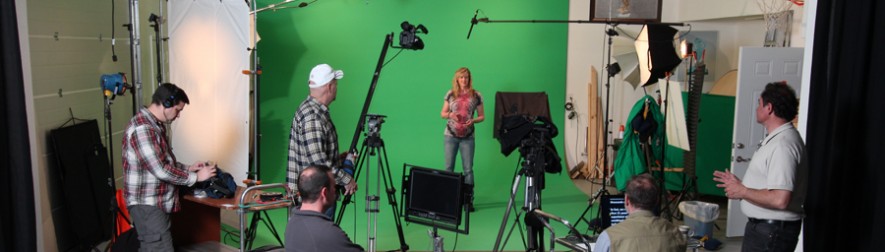
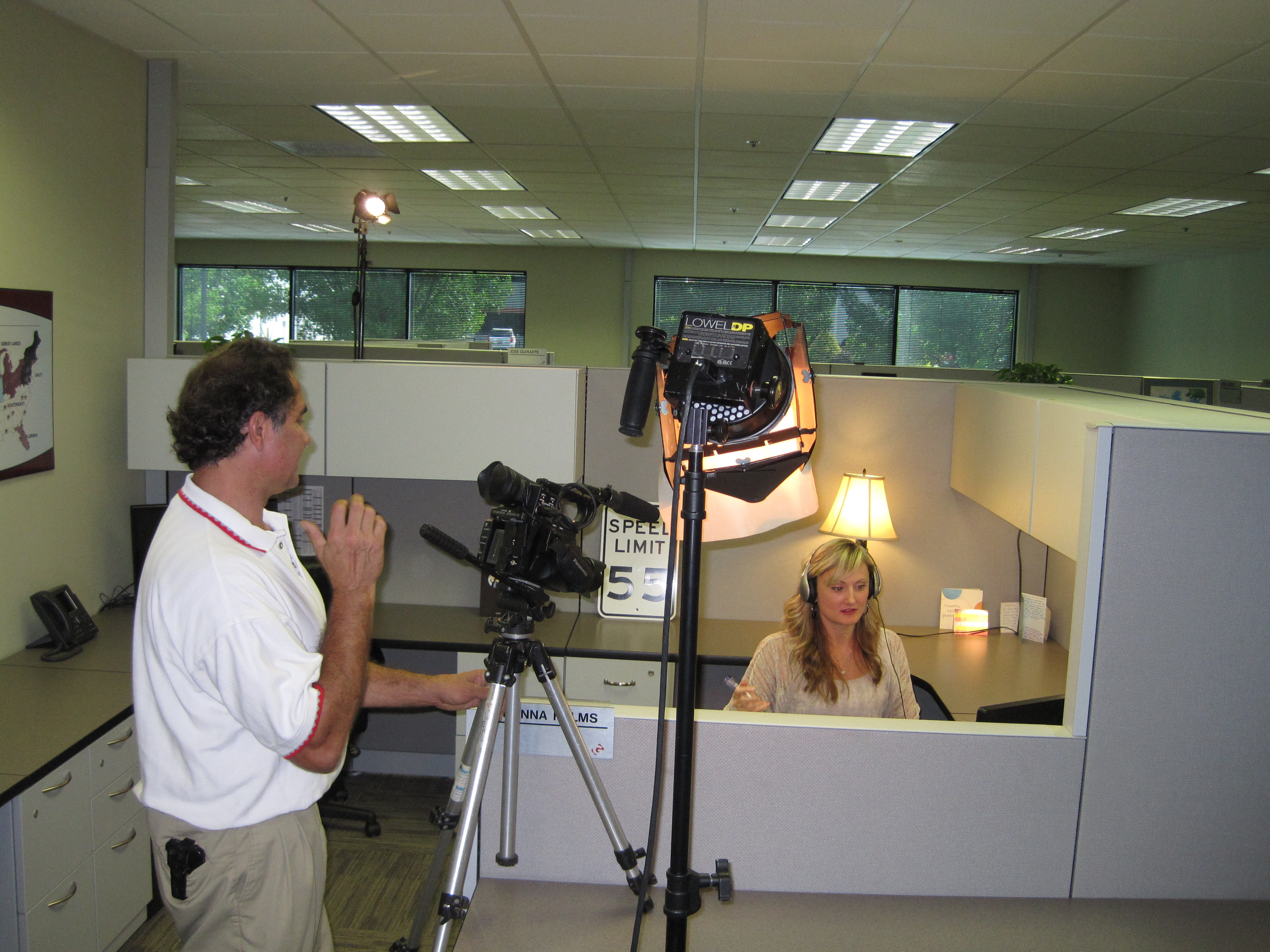
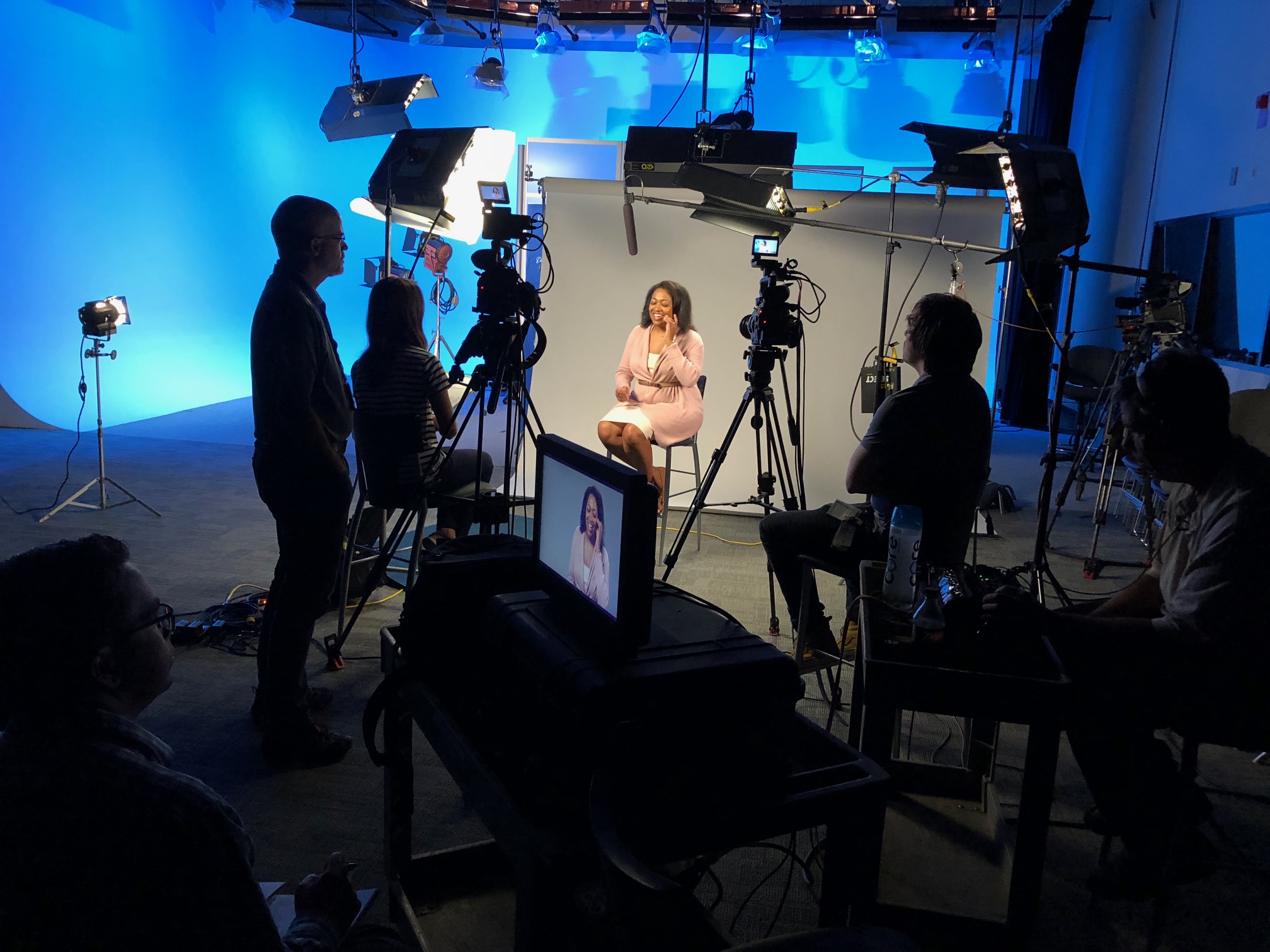
St Louis Video Production Crew shooting talent on studio set for a new crowdfunding video
How To Create Visuals For Your Crowdfunding Video
If you want to create an engaging crowdfunding video, you need to have engaging visuals. Visuals are what will draw people in and help them understand your story. Choose visuals that are easy to understand and that people can connect with. You can find a variety of visuals online, at the library, or at a stock image site like Shutterstock. If you want to make visuals yourself, there are a lot of tools you can use, including: – PowerPoint – You can use PowerPoint to create visuals for your video. – Google Draw – This is another free tool you can use to create visuals for your video. – Video editing software – Video editing software, like Adobe Premiere Pro, will give you a ton of options for creating visuals for your video. – Animoto – Animoto is a website you can use to create engaging visual slideshows for your video. – Canva – Canva is another great website you can use to create visuals for your video.
How to Create A Winning Crowdfunding Video
Now that you understand the basics of crowdfunding and how to create a winning crowdfunding video, it’s time to put it all together. These tips can help you create a winning crowdfunding video: – Create a video that tells a story – The secret to creating a winning crowdfunding video is all about storytelling. You want to engage your audience and draw them into the story you’re telling. – Create a catchy and compelling soundtrack – Your soundtrack is another important element that can help make your video truly compelling. Find music that is catchy and will draw people in. – Include a call to action at the end of your video – Your video doesn’t have to be super serious. It is okay to have a little fun and add some humor to your video. However, don’t make your video too silly. It will lose its effectiveness if it isn’t taken seriously.
Conclusion
The crowdfunding industry is booming, and new campaigns are popping up every day. Each crowdfunding platform has its own formula for success, so it’s important to know what makes a winning crowdfunding video on each platform. Crowdfunding allows you to connect directly with your audience, giving them an opportunity to invest in your business and make a profit. While crowdfunding is a great method for raising money for your business, it can be challenging to get the word out and attract new investors. A winning crowdfunding video is a great way to get people excited about your project and get them investing. With the right combination of techniques, you can create a compelling video that will help you reach your goals.
314-913-5626 Mike Haller St Louis Video Producer stlouisvideos@gmail.com
It’s no secret that the world of video production is constantly changing. As new technologies arise, so must our strategies for creating content. With this in mind, we’ve found new ways to provide streamlined and efficient services to production companies. As a leading provider of virtual sets and green screens in the film industry, St Louis Video understands how vital effective communication with clients is to their business—and any other company’s business, for that matter. We know that choosing the right partner can be difficult and involve a lot of back and forth before coming to an agreement. That’s why we’re here to streamline the process for you as much as possible.
What is b-roll and what does it do?
B-roll is short footage shot at the same time as a longer video clip, usually using a camera with a different framing or visual style. B-roll is often used in news, reality television, documentaries, and filmmaking to provide visual information about a subject that cannot be captured with a close-up or wide-shot. B-roll can be helpful in a variety of situations, such as when you want to illustrate a concept visually but don’t have the right actors or equipment on hand. B-roll can also be used to illustrate the context of the main video clip. If you’re filming an interview, for example, b-roll can be used to illustrate the setting or give more information about the interviewee’s environment.
Why do you need B-roll?
There are a variety of reasons why you’d want to use B-roll in your video content. It can help your audience better understand what’s going on in the shot, it can add visual interest, and it can help you show a larger amount of content in less time. Let’s say, for example, that you’re filming a documentary about the rise of modern technology. If the documentary is mainly interviews, your audience might find it hard to follow the information being discussed. In this situation, B-roll can be used to illustrate concepts being discussed in the interviews.
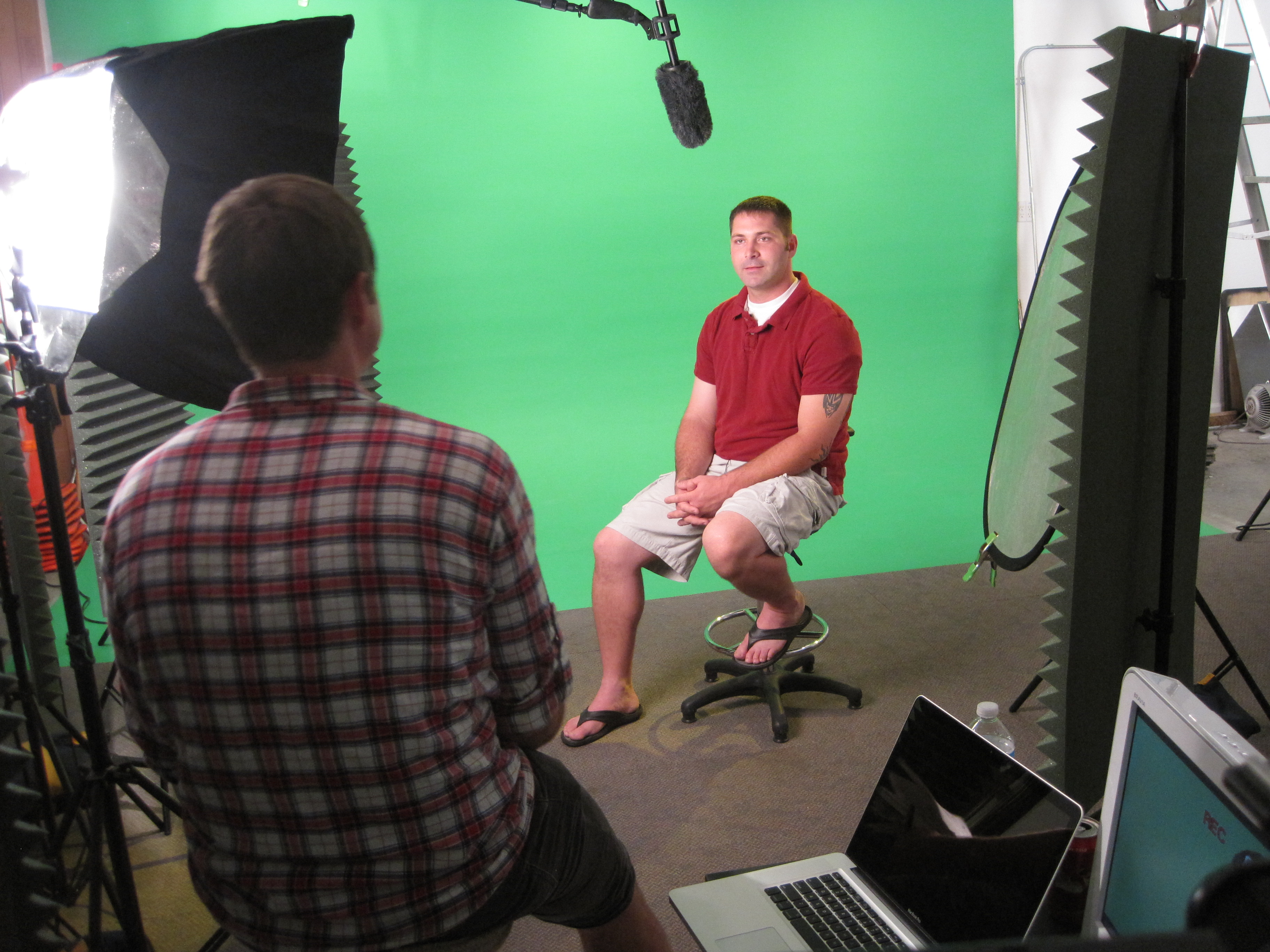
video production crewing services for b-roll
What does a typical B-roll shoot look like?
In a typical B-roll shoot, you would have a photographer on hand with a camera styled to create a different look. This photographer would be shooting footage that you would then be able to splice into the longer video clip, adding a more visual style to your video content. A B-roll shoot can also involve filming subjects that are relevant to the video you’re creating, such as people walking in a busy city or computer parts being assembled.
When to use B-roll in your video content
B-roll is an effective technique for illustration, but it’s not something you should overdo. You should only use it when necessary. If you’re filming a one-on-one interview, for example, you don’t have to have a cityscape in the background. Similarly, if you’re filming an interview, you don’t have to have a close-up of the interviewer’s face. B-roll can be useful in these situations, but only if it’s absolutely necessary.
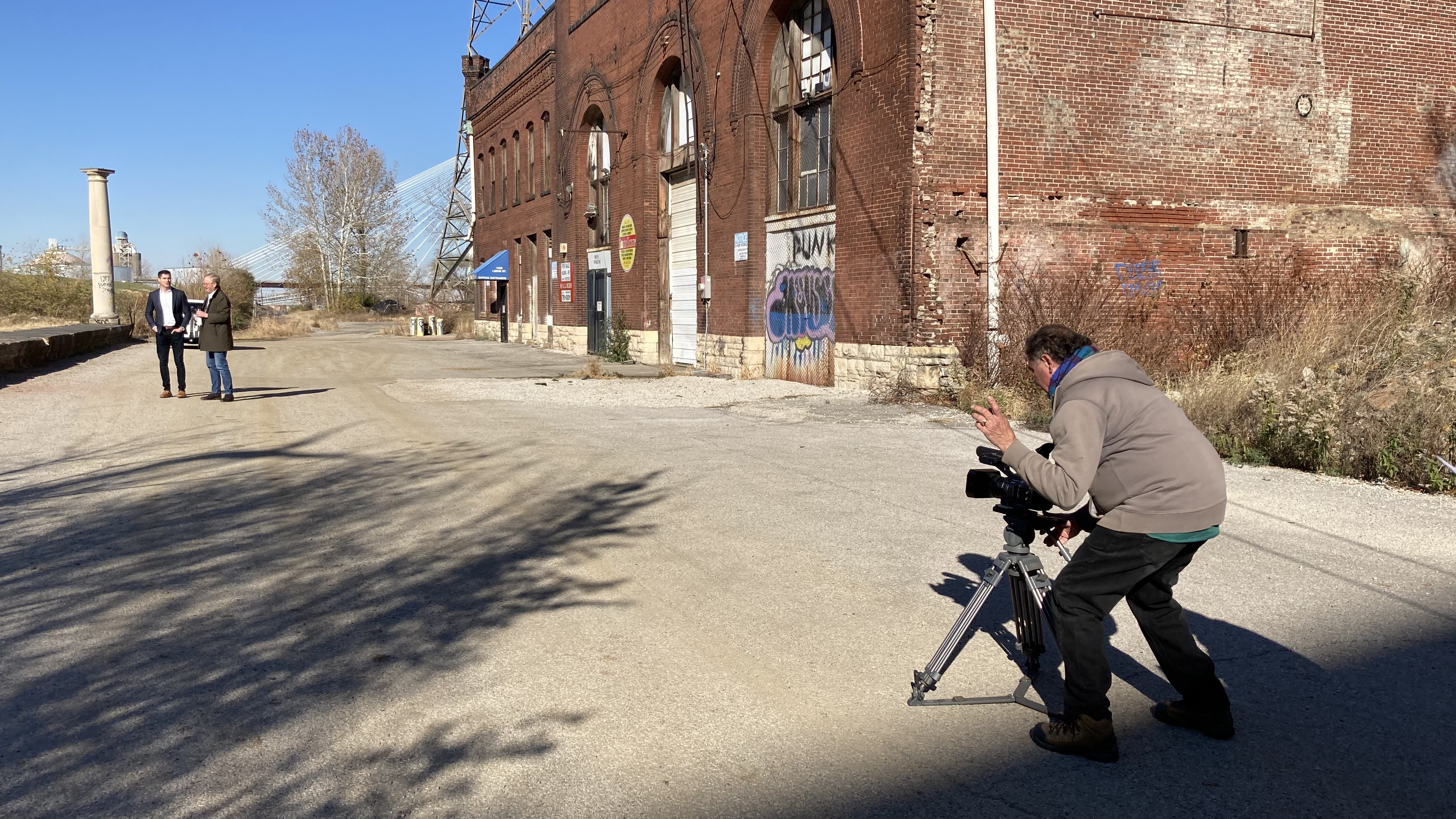
Video taping b-roll
Final Words
Now that you know more about B-roll and what it can do for your video content, it’s time to start planning a shoot. Of course, you may still be wondering who you should hire to film your b-roll. Fortunately, thanks to the streamlined communication of St Louis Video, it’s easy to find a virtual set and green screen production company to work with. Just fill out our online form today to get started.
314-913-5626 Mike Haller St Louis Video Producer stlouisvideos@gmail.com
When you have an idea for a video, the first step is to find out what kind of production crew you’ll need to bring that idea to life. Video production crews are those people on set who make sure everything goes smoothly and the video gets made. There are several different roles in video production, each one with its own responsibilities. The type of crew you hire for your shoot will depend on the type of video you’re creating, its location, and its intended final viewing format. Having a clear idea of what is needed from your video production crew before hiring them will save you time and money and help get your project off to a good start. This blog post covers everything you need to know about video production crews so that next time you have an idea for a new video, the process of bringing it to life won’t be so difficult.
What is a Video Production Crew?
Any group of people hired to work on a video shoot can be called a crew. But depending on the type of work they do, they may be called a production crew, a videography crew, or a camera crew. The terms are often used interchangeably and they can vary from country to country. Regardless of how they are called, they share the same goal of eventually producing a video. Video production crews are the people who bring the idea for a video to life. They are the ones who make sure the video gets made. The members of the crew are the people behind the scenes making sure everything is running smoothly. There are several different roles in video production, each one with its own responsibilities. The type of crew you hire for your shoot will depend on the type of video you’re creating, its location, and its intended final viewing format. Having a clear idea of what is needed from your video production crew before hiring them will save you time and money and help get your project off to a good start. This blog post covers everything you need to know about video production crews so that next time you have an idea for a new video, the process of bringing it to life won’t be so difficult.
Camera Operator(s) and Videographer(s)
The camera operator(s) are the people who control the camera(s) and lighting. They will direct the videographer(s) as they shoot, and they will also be responsible for setting up the lighting. If you are shooting a single camera video, the videographer will also be the camera operator. Depending on the type of video you’re creating, you may need one or more camera operators. The number of cameras you use will depend on the type of video you’re creating. A one-camera shoot is usually used for interviews, guest posts, and webinars. This type of video is often created in a studio and may be shot in front of a green screen. It may also be shot in a single location, such as a talking head video where the person being interviewed is sitting behind a desk or at a table. The most common type of shoot is a two-camera shoot. This type of video is often created for the content you would put on your YouTube Channel or for an explainer video for your business. A two-camera shoot is also needed if you are producing an interview with more than one person. A three-camera shoot is more common in television shows, talk shows, and long-form interviews. This type of shoot requires a third camera operator to record the audio with a separate microphone.
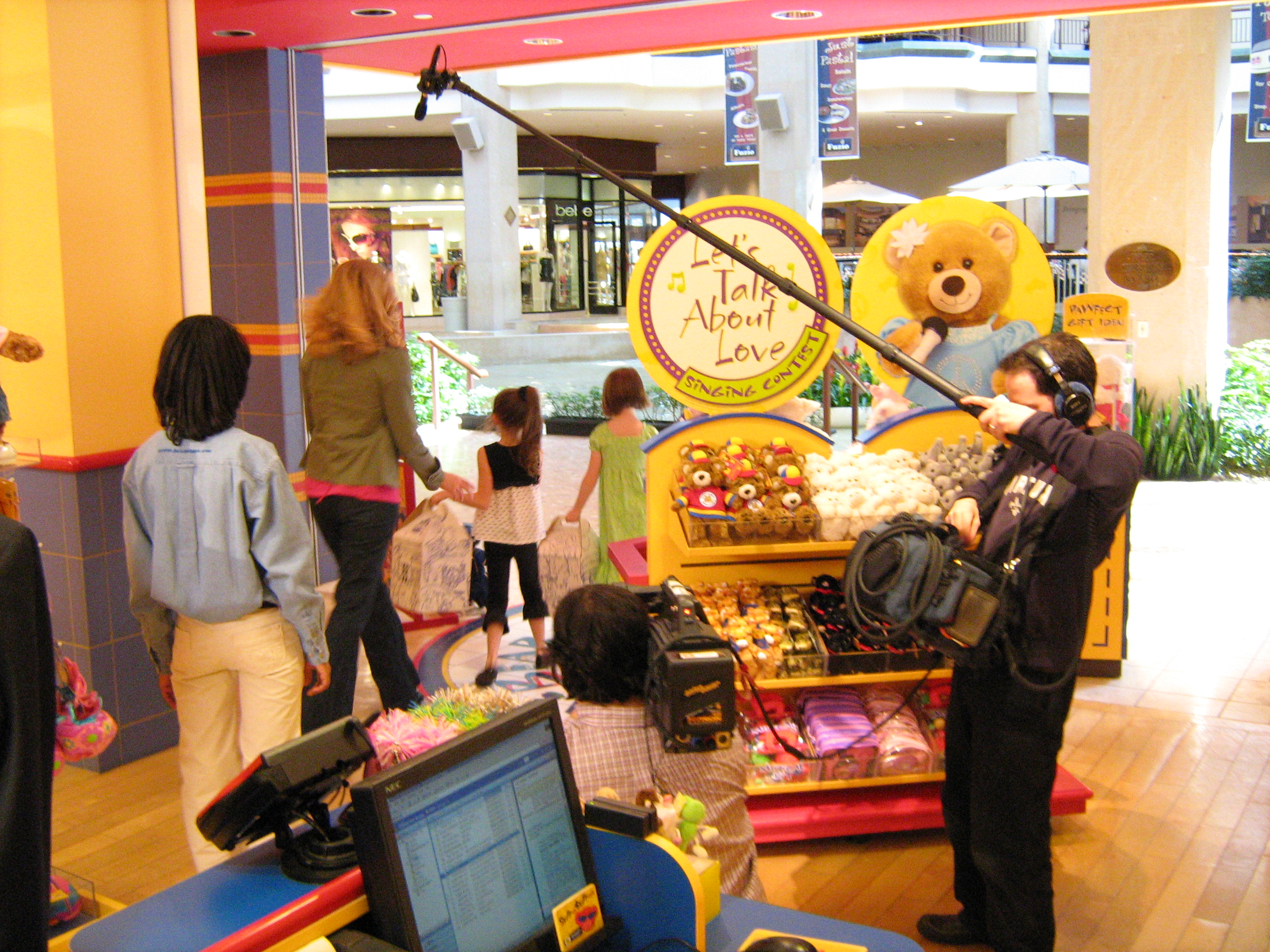
Video taping camera operator on location
Voice Over Talent (VOT).
Voice over talent (VOT) is the person who provides the voice over for your video. This may be the host or the person delivering the core message of the video. Or it may be the person who provides the voice for animated characters or cartoons. The VOT will record their voice in a recording studio and you will use the recorded audio to narrate your video. You may need to hire a voiceover talent if you are creating an explainer video for your business or if you are creating an animated video. If you are creating a traditional video, you may find that you’re the best person to provide voiceover. Or you might decide to hire a voiceover artist to record the voice for an additional fee.
Audio Engineer(s) and Music Producer(s)
The audio engineer(s) and music producer(s) work together and will be responsible for recording the sound on set. Depending on the type of video you’re creating, you may need only one or you may need both. An audio engineer is hired whenever you need to record audio that will be heard in a video. This may be an interview, a phone call, or a presentation. When you need to use an external microphone for an interview or a phone call, an audio engineer will be needed to make sure that the sound is clear and that it matches the video camera. The music producer will be responsible for finding a composer to create the music for your video. This person may also create the audio for your video.
Video editors
Video editors are responsible for editing the video after it has been shot. Depending on the type of video you’re creating, you may need to hire a single video editor or you may need a team of editors to work on the video together. You should hire a video editor if you need to create a long form video or if you need to put together a series of short videos. A single video editor may be needed if you are creating a single long-form video. A team of video editors may be needed if you are producing a series of videos, such as a weekly web series or a series of short tutorial videos.
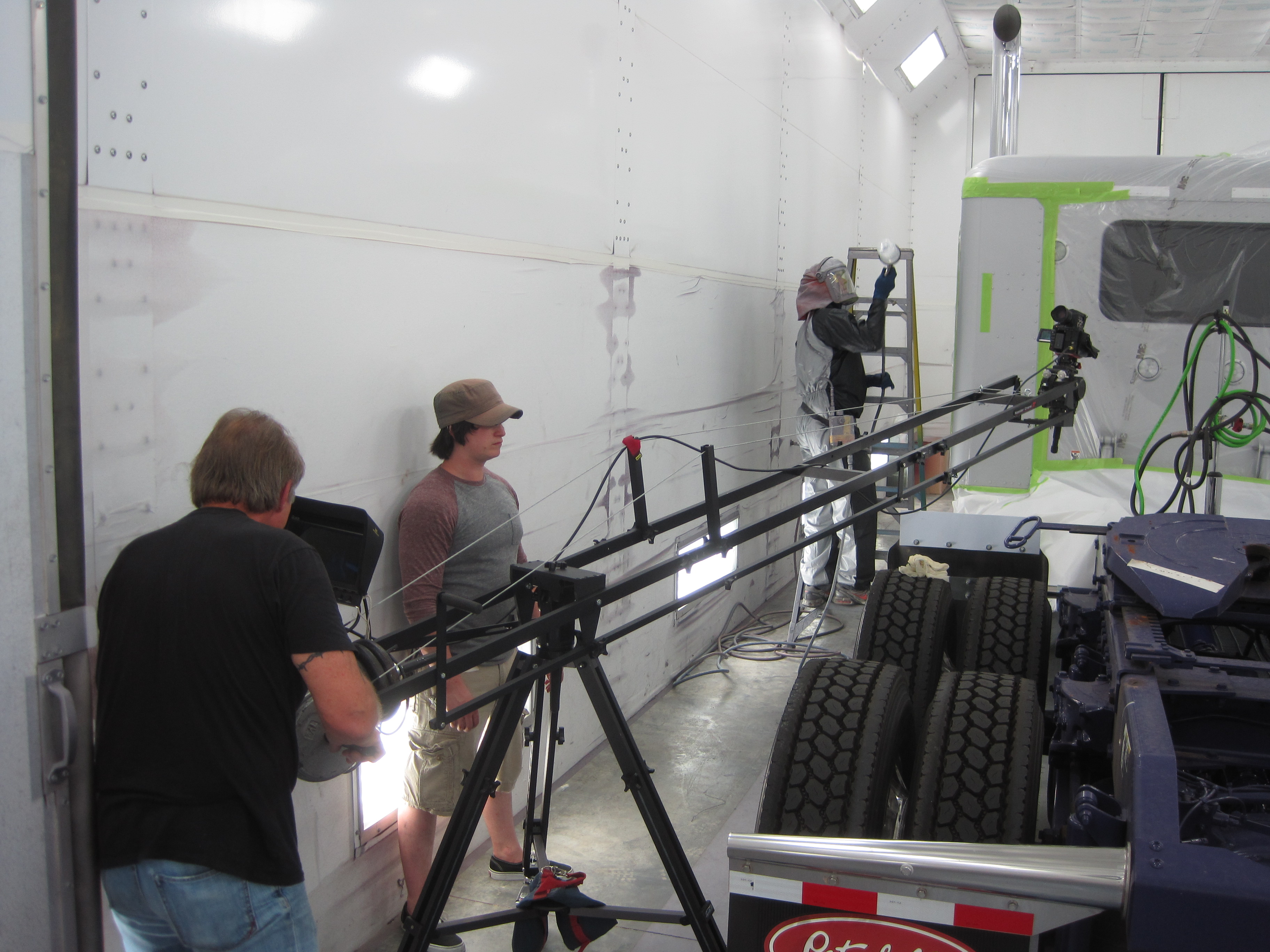
Camera operator working with a jib arm for a specific shot
Conclusion
Video production crews are the people who bring the idea for a video to life. They are the ones who make sure the video gets made. The members of the crew are the people behind the scenes making sure everything is running smoothly. There are several different roles in video production, each one with its own responsibilities. The type of crew you hire for your shoot will depend on the type of video you’re creating, its location, and its intended final viewing format. Having a clear idea of what is needed from your video production crew before hiring them will save you time and money and help get your project off to a good start.
314-913-5626 Mike Haller St Louis Video Producer stlouisvideos@gmail.com
A well-made video is a powerful marketing tool that can help you reach a larger audience and promote your brand. But how do you make a professional video that will grab attention and leave a lasting impression? Here are some tips to get you started.
Your video is the first thing people see when they visit your website, which means it’s a great opportunity to grab their attention and leave a lasting impression. A well-made video can help you reach a larger audience, promote your brand, and generate more sales.
We know that making a professional video can seem intimidating, but don’t worry! We’ve got some tips for you to make sure your next video is as professional as possible.
Have a clear goal in mind. What do you want your audience to remember? What action do you want them to take after watching the video? This will help you decide what kind of content and visuals you need to create.
Know your audience. Who are they, and what do they want from a video? What is their age range? Gender? Are they familiar with your brand already, or are they new to it? You can get some basic information by looking at the demographics of your social media followers or website visitors.
Choose an engaging format that matches your message. For example, if you’re trying to promote a new product or service, consider using a testimonial video or explainer video as opposed to a straight-up sales pitch; if you want people to share your video on social media, use simple graphics and text over complex animations; if it’s important for viewers to understand something quickly (like how an app works), consider using animation instead of live action footage.
314-913-5626 Mike Haller St Louis Video Producer stlouisvideos@gmail.com












 St Louis Video & Photo